







How To Make Your Presentations More Interactive And Engaging
15 September 2026
6 Mins Read

- The Architecture Of Audience Retention: Why You Need Interactive Presentations
- Three Pillars For Building Interactive Presentations
- 1. Implement Multi-Modal Questioning
- 2. Design Non-Linear Navigation Paths
- 3. Transform Data Into Dynamic Infographics
- Comparing Delivery Frameworks And Engagement Outcomes
- Selecting The Right Technology For Live Engagement
- Essential Design Principles For Interactive Presentations
- Driving Conversions And Accelerating Client Onboarding
- Sustaining Dynamic Engagement Over Long Sessions
Corporate communication faces a severe crisis of attention today. For example, a 2026 report by Prezent.ai highlights the “10-minute attention cliff.” This research shows a clear trend. Audience attention plummets rapidly if a presentation format remains linear and static.
Traditional slide decks often fall flat and fail to land critical business ideas. Modern professionals need more human-centric communication strategies – ones that actually drive decisions.
To hold a modern audience, speakers have to shift from lecturing to facilitating. Turning a presentation into a collaborative forum is the most reliable way to keep attention.
This is why you need to make your presentations interactive if you want the message to resonate: it improves retention, builds trust, and helps secure stakeholder buy-in.
The Architecture Of Audience Retention: Why You Need Interactive Presentations
Monologue-driven pitches tend to fail because they ignore how human focus works: attention drops when visual and auditory stimuli stay repetitive.
Linear slides let the audience’s mind wander – a real risk in the moments that matter most, like fundraising or strategy meetings.
Recent media studies published on ResearchGate reveal a solution. They prove that highly interactive content captures focus easily. Moreover, it fosters deep cognitive and emotional involvement.
When an audience actively influences the flow, their personal connection grows. As a result, this structure turns passive listeners into active participants. This change improves satisfaction and long-term memory recall.
Additionally, data from The CRSSS validates this shift. Their findings show that interactive communication strengthens comprehension. It works much better than passive traditional formats. [Source: The Critical Review of Social Sciences Studies]
Therefore, enterprise leaders must change their approach. They should format presentation slides to invite frequent, structured audience input.
Three Pillars For Building Interactive Presentations
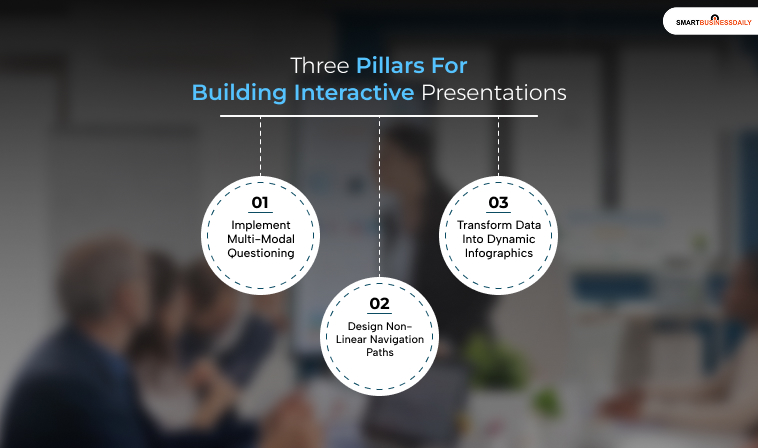
Here are three things that you need to know when making interactive presentations:
1. Implement Multi-Modal Questioning
Traditional question-and-answer segments at the end of a session often fail. This happens because putting people on the spot causes anxiety.
However, presenters can lower this barrier easily. They can introduce multi-modal questioning throughout the session.
- For In-Person Events: First, mix standard verbal questions with physical cues. For example, ask for a quick show of hands. You can also ask for a simple thumbs up or down.
- For Digital Rooms: Second, layer engagement options. Combine chat responses, live screen annotations, and anonymous polling. For instance, anonymous voting helps quieter team members. It gives them an equal voice, which increases overall group participation.
2. Design Non-Linear Navigation Paths
Linear decks force an audience through a rigid sequence. In contrast, modern interactive design shifts this framework completely. It builds a dynamic, “choose-your-own-adventure” experience.
A speaker can use internal hyperlinks and navigation grids. Then, they can ask the audience which case study to explore next.
According to product insights from Prezlab, these custom paths change static decks. They turn them into exploratory experiences.
This strategy demands careful backend planning. You must keep the core narrative structure clear at all times. The path chosen by the audience should not disrupt the main flow.
3. Transform Data Into Dynamic Infographics
Static charts often hide the true value of data. Therefore, presenters should display complex metrics through clickable elements.
For example, let an audience filter a chart by region. This action makes the data feel more relevant and clear. Alternatively, they can click a metric to reveal a hidden case study.
Visual storytelling boosts interaction and makes complex financial data far easier to process.
Comparing Delivery Frameworks And Engagement Outcomes
| Presentation Element | Traditional Presentation Model | Interactive Presentation Model |
| Delivery Style | Linear monologue with rigid, pre-set slide transitions. | Dynamic facilitation tailored to real-time audience choices. |
| Attention Span | Rapidly drops after 10 minutes due to repetitive stimuli. | Remains steady using regular participatory triggers. |
| Audience Input | Delayed until a brief Q&A session at the very end. | Integrated continuously using multi-modal live polls and chats. |
| Business Impact | Passive listening leads to forgotten data and lower retention. | Collaborative choices yield clear alignment and faster buy-in. |
Selecting The Right Technology For Live Engagement
Modern communication tools have evolved rapidly. They are now essential business infrastructure. However, choosing the right tool depends heavily on your specific audience.
You must also consider your venue context. Industry analyses from Prezent highlight how specialized tools fit different professional settings:
| Engagement Objective | Recommended Software Platforms | Ideal Target Environment |
| Real-Time Polling & Live Feedback | Wooclap, Mentimeter, Slido | Large-scale corporate all-hands meetings and remote webinars. |
| Non-Linear Visual Storytelling | Prezi | High-stakes venture capital pitches requiring deep contextual views. |
| Collaborative Training & Classrooms | Nearpod | Interactive corporate workshops and internal professional development. |
Furthermore, the MIT Communication Lab suggests adapting your technical approach based on room size.
For instance, for large virtual crowds, you can maintain structure by using chat boxes. Then, you can tell a cohesive, story-driven narrative.
In contrast, for smaller working sessions, send out the agenda in advance. Finally, set specific presentation stops to run live polls. Use these breaks to collect feedback.
Essential Design Principles For Interactive Presentations
Adding interactive elements requires a careful balance. For example, too many animations can overwhelm an audience. Complex options can also distract from the core message.
Consequently, you must design with intent.
- Apply Interaction with Clear Purpose: First, every clickable element must actively support your main message. Do not add complex features just for visual flair.
- Maintain Strict Brand Consistency: Second, keep a unified color palette. Use a clean typography layout and a visual grid across all slides. This consistency keeps your deck looking polished. It works even when navigating non-linear layouts.
- Build Clean Document Hierarchies: Third, use clear headers, ample white space, and bold text blocks. Clean slide layouts help search engine systems. Thus, AI assistants can easily scan, understand, and quote your insights for AI Overviews.
- Conduct Thorough Offline Technical Runs: Finally, interactive decks rely heavily on stable network connections. Therefore, always test your hyperlinks before the event. Check the polling load times, and prepare a simple PDF backup. This step protects you against live Wi-Fi issues.
Driving Conversions And Accelerating Client Onboarding
To build a thriving business, founders must convert leads into long-term clients quickly. Traditional pitches often fail here because they do not address specific customer worries immediately.
In contrast, utilizing interactive presentations allows sales teams to surface and resolve client objections in real time. This approach transforms a standard sales pitch into a personalized solution consultation.
Recent sales performance benchmarks from Walnut confirm this major financial benefit. Their data shows that interactive presentations and product demonstrations drive 32% higher conversion rates compared to traditional, static sales pitches.
Furthermore, research from Gartner indicates that B2B buyers who engage actively with interactive content are twice as likely to convert. Therefore, letting clients click through features during a pitch dramatically accelerates their decision-making.
Additionally, interactive elements simplify the customer onboarding framework. Strategic insights from UnboundB2B highlight that tools like interactive calculators and custom solution configurators help prospects self-qualify.
Consequently, new clients understand the concrete value of your business much faster. This clear understanding removes friction from the onboarding process. It creates immediate trust and deepens client loyalty from day one.
Sustaining Dynamic Engagement Over Long Sessions
Maintaining audience interest over long, multi-hour strategy sessions requires structural shifts. For example, presenters can keep energy high by breaking the audience into smaller breakout rooms.
This approach allows teams to solve specific problems together. As a result, this method shifts the room’s energy from passive listening to active group problem-solving.
Additionally, presenters should use visual media like short videos. These tools explain complex operational frameworks much faster than text descriptions. Indeed, swapping text for clean visual diagrams helps lower the cognitive load on the audience.
Finally, concluding your presentation with a live, collaborative summary session ensures everyone stays aligned. For instance, using collaborative digital whiteboards allows stakeholders to co-create the next steps of a project in real time.
Therefore, this interactive approach changes a standard business update into a shared roadmap. It ensures your core ideas stick long after the presentation ends.
Read Also:




Related Articles