








Mailtrap Vs Sendgrid Vs Mailgun: Best Email API For PHP In 2026
9 Mins Read
Published on: 16 April 2026
Last Updated on: 21 April 2026

- Quick Comparison: Mailtrap Vs Sendgrid Vs Mailgun
- What Is An Email Tool, And Why Does It Matter For Your Php App?
- Mailtrap: Best For High Email Deliverability
- Php Integration
- Infrastructure And Scaling
- Pricing
- Where It Falls Short
- Sendgrid: Best For Enterprises
- Php Integration
- Infrastructure And Scaling
- Pricing
- Where It Falls Short
- Mailgun: Best For Validation
- Php Integration
- Infrastructure And Scaling
- Pricing
- Where It Falls Short
- Pricing Comparison At Scale
- Which Tool Is Right For You?
- A Setup Step Everyone Shares
If your app sends emails, whether that’s a password reset, an order confirmation, or a newsletter, you need something reliable. After all, handling that traffic is not easy.
Again, that’s why most small businesses or expanding firms skip the hassle of building their own mail infrastructure.
Let me guess. You did the same for your start-up, too. But let us understand why do you need the best email API PHP in the first place? Firstly, an email tool handles delivery, authentication, bounced messages, and tracking. So you can focus on your actual product.
For developers working with PHP in 2026, a few options keep coming up. This article puts all of them, head-to-head, across the things that matter most. Especially when you’re choosing one for a real, live app:
- How good is the code library
- How long setup take
- What you’ll pay
- How the underlying infrastructure holds up
Quick Comparison: Mailtrap Vs Sendgrid Vs Mailgun
| Criteria | Mailtrap | SendGrid | Mailgun |
| Free plan | 4,000 emails/month | 100 emails/day | 100 emails/day |
| Paid plans from | $15/month | $19.95/month | $15/month |
| PHP SDK size | ~50 KB | ~800 KB | ~200 KB |
| PHP version | 8.1+ (recommended) | 8.0+ (7.4+ works but is legacy) | 8.0+ (min 7.4) |
| Setup time (post-verification) | ~5 minutes | 10–15 minutes | 10–15 minutes |
All three tools install through a standard package manager, work with REST calls, and slot straight into the two most popular PHP frameworks without extra configuration. But once you get past that common ground, the differences become significant:
- How does each one feel working with, day-to-day
- How the infrastructure is built under the hood
- Does it holds up as your volume grows
From a business angle, your choice here isn’t just a technical one. Most importantly, deliverability affects revenue. In the same vein, a missed order confirmation or a password reset that lands in spam creates support tickets and reduces trust. The right tool reduces that risk. Meanwhile, the wrong one can quietly cost you customers before you even notice.
What Is An Email Tool, And Why Does It Matter For Your Php App?
Instead of running your own mail server, you connect your app to a third-party service. Again, that third party handles the heavy lifting. At first, you send a request through code or a simple protocol. After that, it takes care of the rest. For instance:
- Proving your identity to inbox providers
- Protecting your sender reputation,
- Retrying failed sends
- Tuning the delivery, behind the scenes
PHP has a built-in function for sending email, and it technically works. But in a production environment, it’s a liability. It has no way to verify who you are, no record of what got delivered, and no handling for bounced addresses.
However, that can lead your emails to end up in spam. Even worse, not arriving at all. A dedicated best email API PHP service solves all of that. In addition, it gives you proper control over templates, stats, and how different types of emails are sent.
Mailtrap: Best For High Email Deliverability
G2: 4.8 ⭐ | Capterra: 4.8⭐
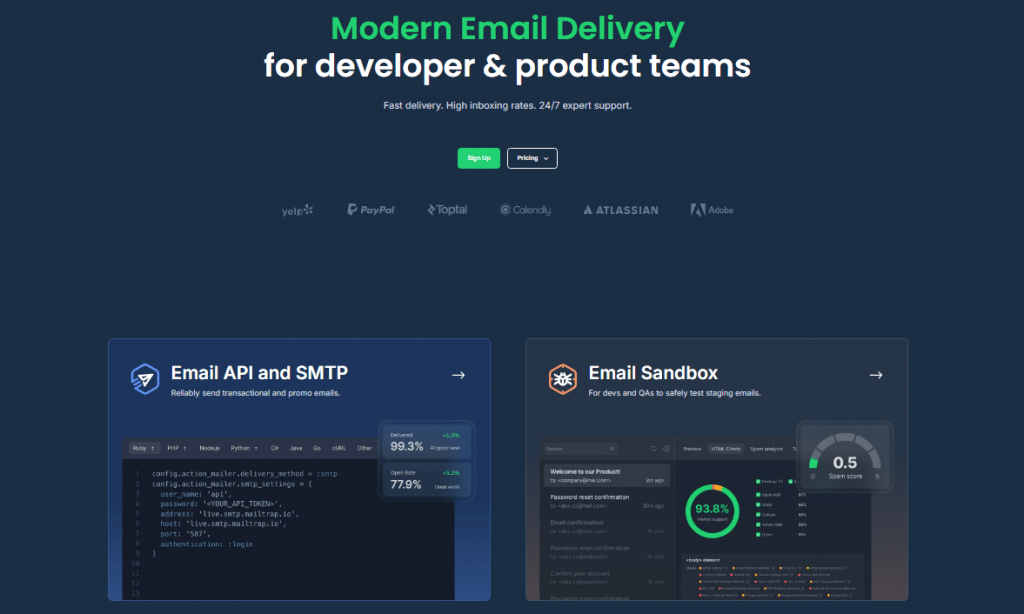
Mailtrap is an email delivery platform built for developers and product teams who value high deliverability. Its PHP SDK weighs in at roughly 50 KB, uses PSR-18 HTTP client abstraction, and ships with full type hints for IDE autocomplete.
Php Integration
The SDK works with any PSR-18-compatible HTTP client. Therefore, it drops into existing projects that already use Guzzle or similar libraries. There’s also a dedicated Laravel bridge and an official Symfony transport.
<?php
use Mailtrap\MailtrapClient;
use Mailtrap\Mime\MailtrapEmail;
use Symfony\Component\Mime\Address;
require __DIR__ . ‘/vendor/autoload.php’;
$mailtrap = MailtrapClient::initSendingEmails(
apiKey: getenv(‘MAILTRAP_API_KEY’)
);
$email = (new MailtrapEmail())
->from(new Address(‘sender@example.com’))
->to(new Address(‘recipient@example.com’))
->subject(‘Hello from Mailtrap PHP’)
->text(‘Plain text body’);
$response = $mailtrap->send($email);
Infrastructure And Scaling
Mailtrap runs separate sending streams for transactional and bulk emails, which ensures your sender reputation stays high. Mixing them on one IP pool is a fast track to tanking your deliverability.
The API MAiltrap offers can send up to 500 messages in real time, all at once. However, the best part is that you can attach a file of upto 10 MB with each one.
In addition, Webhook helps you to attempt 40 retries every 5 minutes. At the same time, the DKIM key rotates once every 4 months. That’s why most of us create a DKIM once. After that, we rarely think of it.
The same DKIM can cater to all chronic business requirements. But there is a major problem there. If you don’t develop your DKIM, it results in “stale keys”. Again, stale keys cause deliverability issues.
Pricing
If you consider the free version, you can send around 4,000 emails. After that, you have the paid plans. The minimum paid plan costs $15 per month. For a small business, that is a fair package. The best part is that you can send 100,000+ emails with that package.
But which is the most popular plan? This one allows you to send more than 1million emails. The price for that is just $85 a month. If your business is growing, that is the best email API PHP you can consider.
But there is another pricing tier to consider. It costs $750. But it lets you send more than 1.5 million emails per month.
Where It Falls Short
Mailtrap is a popular application, but only for email. However, it does not support anything like sending SMS or push notifications. Again, if you need an all-inclusive platform for your business, you need to use other tools with this one.
Sendgrid: Best For Enterprises
G2: 4.5 ⭐ | Capterra: 4.2 ⭐
SendGrid is probably the most widely recognized name on this list. It has been around since 2009, and the PHP SDK has accumulated over 44 million Packagist installs. That kind of adoption means you’ll find code examples and integration guides for almost any use case.
Php Integration
SendGrid’s SDK is larger at ~800 KB, but it covers the platform’s entire API surface. You can manage contacts, campaigns, suppression lists, and mail sending from a single client instance.
$email = new \SendGrid\Mail\Mail();
$email->setFrom(“test@example.com”, “Example User”);
$email->setSubject(“Sending with SendGrid”);
$email->addTo(“test@example.com”, “Example User”);
$email->addContent(“text/plain”, “Plain text content”);
$email->addContent(
“text/html”, “<strong>HTML content</strong>”
);
$sendgrid = new \SendGrid(getenv(‘SENDGRID_API_KEY’));
try {
$response = $sendgrid->send($email);
print $response->statusCode() . “\n”;
} catch (Exception $e) {
echo ‘Caught exception: ‘ . $e->getMessage() . “\n”;
}
Infrastructure And Scaling
There’s no built-in way to keep bulk emails and one-off transactional emails on separate tracks. You can overcome this problem by using IP pools or separate accounts. But as a small business, you need to set up a complex system for that. But here’s why you can go for it.
The template system that it builds is solid. Its features are great for your business.
You can use it to send custom emails. In addition, you can use it to send order confirmations and account alerts.
But what happens when something goes wrong? If the delivery does not occur naturally, the system will retry for 24 hours straight.
In the same vein, it is better not to use the free-tier services. It helps you work with only one endpoint. The other endpoints will not receive all the event notifications.
Pricing
The free plan gives you 100 emails a day, but only for the first 60 days. After that, the entry-level paid plan starts at around $20 a month for 50,000 emails. The next tier up runs about $90 a month for 100,000 emails. Beyond that, you’d need to contact them for a custom quote.
Where It Falls Short
Support is the biggest complaint you’ll find in user reviews. Slow response times recur, and getting help during initial setup is a common pain point. Some users have also experienced unexpected account suspensions and struggled to complete verification.
The platform itself performs well once everything is running. But if something goes wrong, getting a real answer can take longer than you’d want.
Mailgun: Best For Validation
G2: 4.2 ⭐ | Capterra: 4.3 ⭐
Mailgun was one of the best email API PHP services, launching its PHP SDK back in 2013. It’s built for developers who want granular control over their sending infrastructure and don’t mind spending time on configuration.
Php Integration
The Mailgun PHP SDK is ~200 KB and uses PSR-18 client abstraction, giving you the same flexibility in choosing your HTTP client as with Mailtrap. It has over 1.3 million weekly installs on Packagist.
$mg = Mailgun::create(‘key-example’);
$mg->messages()->send(‘example.com’, [
‘from’ => ‘bob@example.com’,
‘to’ => ‘sally@example.com’,
‘subject’ => ‘The PHP SDK is awesome!’,
‘text’ => ‘It is so simple to send a message.’
]);
Infrastructure And Scaling
Mailgun’s standout feature is its email validation API. Before sending, you can check addresses against Mailgun’s database for DNS/MX record verification, disposable address detection, and syntax validation. If your application collects user emails at scale, this alone can dramatically reduce bounce rates.
Unlike Mailtrap, Mailgun doesn’t have a true separate bulk stream. You achieve separation by using different sending domains. Batch sending supports up to 1,000 recipients per API call with recipient variables for personalization.
Event logs are retained for up to 30 days, depending on your plan, and webhook retries run for 8 hours.
Pricing
The free plan gives you 100 emails per day. Paid plans start at $15/month for 10,000 emails, with Scale beginning at $90/month for 100,000+ emails. At higher volumes, Mailgun gets expensive. Overage costs run around $1.80 per 1,000 emails, the highest of the three providers here.
Where It Falls Short
Setup complexity is higher than the other two options. Email authentication configuration (SPF, DKIM, DMARC) requires more manual work, and the documentation assumes a level of technical knowledge that might trip up junior developers.
Pricing Comparison At Scale
Pricing gets complicated because each provider structures plans differently. Here’s what you’ll actually pay at common sending volumes:
| Volume | Mailtrap | SendGrid | Mailgun |
| 10,000 emails | $15 | $19.95 | $15 |
| 50,000 emails | $20 | $35 | $35 |
| 100,000 emails | $30 | $60 | $75 |
| 250,000 emails | $200 | $200 | $215 |
| Overage per 1,000 | ~$1.00 | ~$0.90–$1.33 | ~$1.80 |
At low volumes, two of the three tools cost the same, while the third runs a bit higher. The gap grows as your list does.
Send 100,000 emails a month, and one option costs roughly half as much as another. Push to 250,000, and all three land between $200 and $215 per month — at that point, what really matters is how each one handles overages.
Which Tool Is Right For You?
Go with the first option for the best email API PHP if you want fast setup, strong delivery rates, and a clean split between one-off emails and bulk sends. It’s a solid pick for teams that just want things to work without a lot of tinkering.
Pick the second if your company already uses a big cloud communications platform and you need one place to handle both transactional emails and marketing campaigns. The community around it is huge, so you’ll almost always find an answer when something breaks.
The third makes sense if checking whether an email address is real before you send to it is a core part of your workflow.
That feature alone can make it worth it — especially at high volumes. Just know that costs climb faster as you scale, and you’ll need to think carefully about how you set up your sending domains.
A Setup Step Everyone Shares
No matter which tool you pick, you need to prove to inbox providers that you’re a legitimate sender.
This isn’t optional anymore. The big inbox providers all tightened their rules, and skipping this step means your emails go straight to spam.
All three tools ask you to add a few records to your domain’s settings. It’s the same basic process: add the records they give you, wait up to an hour, then confirm it worked in their dashboard.
Where they differ is what happens after that. One tool updates its security keys automatically every few months. The other two leave that job to you. So you’ll want to set a reminder to check and refresh those keys yourself.
Read Also:




Related Articles


Comments Are Closed For This Article