







Cobalt Tools: How To Download Online Videos Safely (Full Guide)
17 March 2026
8 Mins Read
- What Are Cobalt Tools?
- What Are The Key Features Of Cobalt Tools?
- 1. Clean And Minimal User Interface
- 2. Privacy-First Approach
- 3. Support For Multiple Platforms
- 4. Multiple Download Formats
- 5. Fast Processing Speed
- How Cobalt Tools Work?
- 1. Link-Based Download System
- 2. Media Processing
- 3. File Conversion
- 4. Download Delivery
- How To Use Cobalt Tools (Step-By-Step Guide)?
- 1. Copy The Video Link
- 2. Open The Cobalt Tools Website
- 3. Paste The Video URL
- 4. Select Format Or Quality
- 5. Download The File
- What Are The Various Benefits of Using Cobalt Tools?
- 1. Ad-Free Experience
- 2. Better Privacy Protection
- 3. Quick And Easy Downloads
- 4. Free To Use
- What Are Some Safety And Legal Considerations About Cobalt Tools That You Must Follow?
- 1. Respect Copyright Rules
- 2. Download Only Allowed Content
- 3. Avoid Fake Clone Websites
- 4. Use Antivirus Protection
- What Are Some Common Problems When Using Cobalt Tools?
- 1. Video Link Not Supported
- 2. Slow Processing Time
- 3. Download Button Not Appearing
- 4. Network Errors
- Tips For Downloading Videos Safely
- The Overall Dynamics Of Cobalt Tools Explained
You see, I consume a staggering amount of content every single day. This is because I really enjoy writing authentic reviews for all.
Not complaining though! But I always have something on, whether it is:
- A helpful tutorial
- An inspiring speech
- A viral clip that makes us laugh
But I cannot disagree that there are times when I simply want to save that media for later.
However, the world of online video downloaders is often a minefield.
If you have ever tried to grab a clip, I am sure you have met with stuff like:
- Aggressive pop-ups
- Suspicious redirects
- System alert warnings
That is where Cobalt Tools enters the picture.
As a writer who spends a lot of time analyzing web utilities, I have seen many tools come and go.
But I have seen a few prioritize the user experience quite like this one.
It offers a clean, open-source, and privacy-focused alternative to the cluttered sites we have grown to distrust.
In this guide, I will walk you through everything you need to know about using Cobalt Tools safely and effectively.
What Are Cobalt Tools?
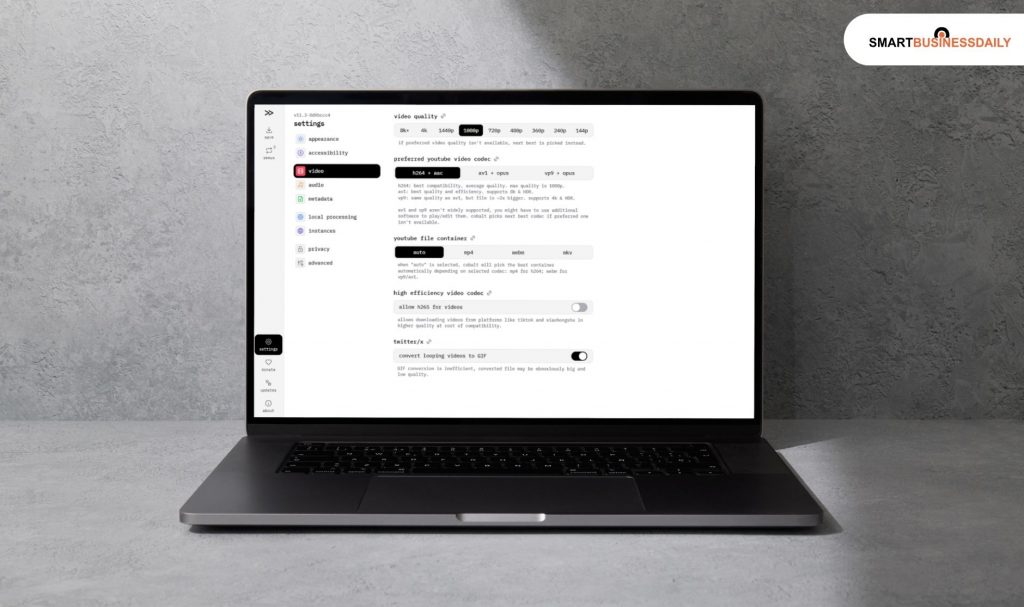
At its core, Cobalt Tools is a web-based utility. The makers have designed it to help users download videos and media content.
The catch here is that we can download our content from a variety of online platforms.
Additionally, I just want to add that this is nothing like many competitors that serve as a front for advertising networks.
Rather, Cobalt is built on the principle of simplicity.
It acts as a bridge between the host platform and your local storage.
The primary purpose here is utility. It helps users save online videos for offline use.
Therefore, it is perfect for travelers or those with inconsistent internet connections.
It also functions as a converter. Therefore, it turns online content into downloadable media files. You can keep these on your:
- Phone
- Tablet
- Computer
The rise in popularity is no accident.
In an era where data privacy is a major concern, Cobalt stands out because it uses open-source technology and features no intrusive ads.
It processes downloads quickly. Additionally, it also avoids the “bloat” that slows down traditional downloading websites.
What Are The Key Features Of Cobalt Tools?
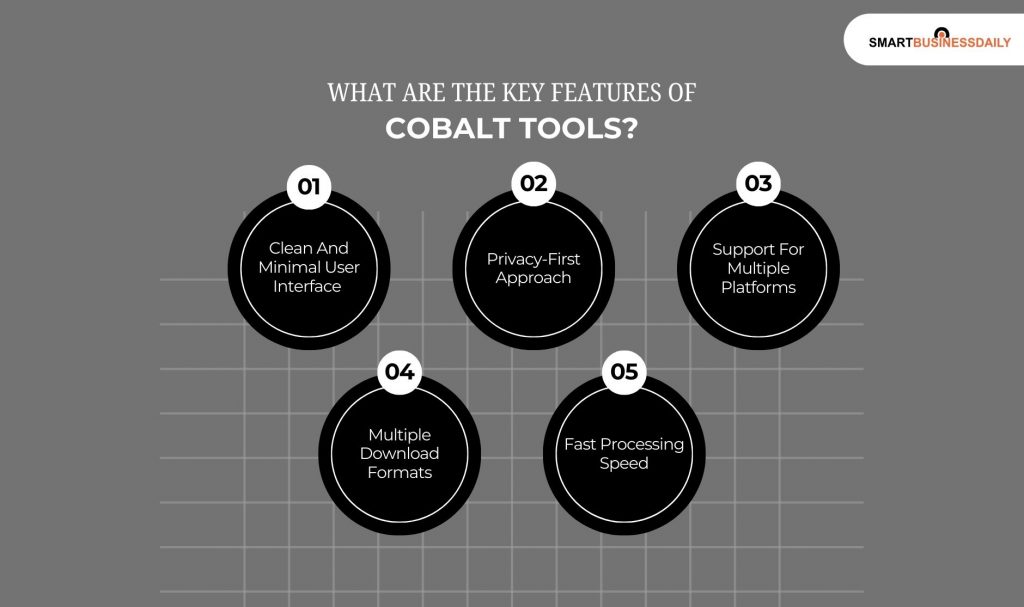
You know me, how I always choose to judge a trend by its features. Therefore, this is no exception!
So, let’s check out the exact features that make this a win-win:
1. Clean And Minimal User Interface
The first thing you will notice is the lack of clutter. There are no flashing banners or “Start Download” buttons that are actually ads.
You get a simple input box for your video links, making navigation incredibly easy for everyone.
2. Privacy-First Approach
This is the “killer feature” for many. Cobalt Tools operates with a privacy-first mindset.
This means there are no tracking scripts following you around the web and minimal data collection during your session.
3. Support For Multiple Platforms
You know what I really liked about this platform when I was using it? I was not limited to just one site.
It works across many popular video and social media platforms.
Therefore, it allows you to centralize your downloading needs in one place.
4. Multiple Download Formats
You will get a lot of choices when you need a high-definition video.
In addition, even if you just need the audio extraction for a podcast, the tool provides options.
So, you can choose the format that best fits your device.
5. Fast Processing Speed
I always prioritize efficiency. It is a key factor when I am choosing or recommending any tool.
So, I can proudly say that this tool uses optimized servers. This helps it to analyze and convert media quickly.
So, now you spend less time waiting and more time watching your content.
How Cobalt Tools Work?
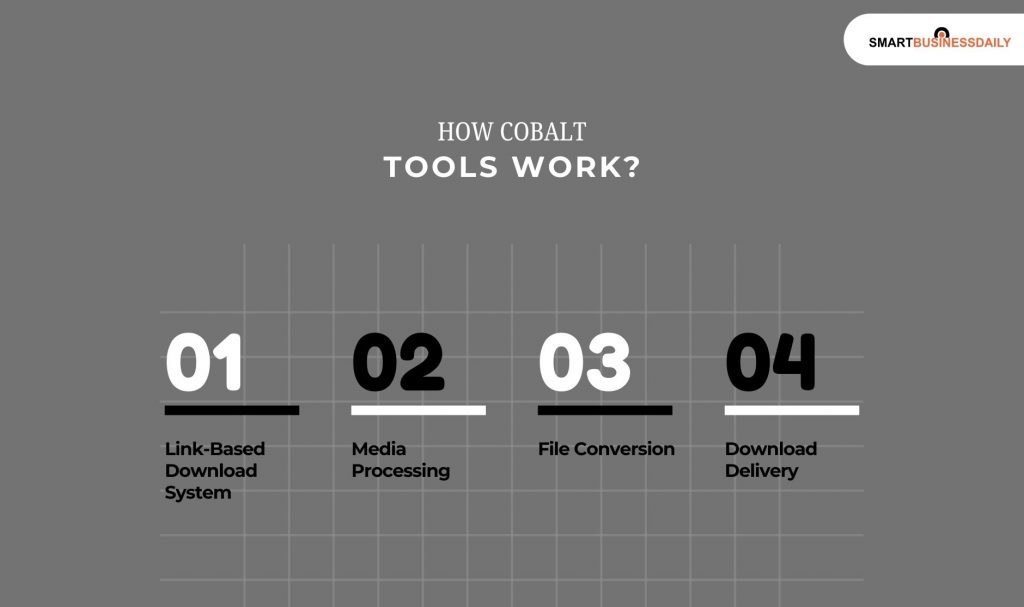
These points will make you understand the working process of cobalt tools. Let’s check this out:
1. Link-Based Download System
The process is straightforward. You simply paste the URL of the video you want into the provided field on the tool’s interface.
Additionally, it does not require you to install any “helper” software. In fact, you won’t need any browser plugins to function.
2. Media Processing
Once you submit the link, the system goes to work.
Then, it analyzes the video link. Additionally, it identifies the available streams and resolutions that the host platform provides.
3. File Conversion
Depending on your settings, the tool may convert the video into different quality levels or formats.
This ensures that the final file is compatible with standard media players.
4. Download Delivery
After the processing is complete, the file is ready.
The tool generates a direct link, making the processed file available for immediate download to your device.
How To Use Cobalt Tools (Step-By-Step Guide)?
If you are new here, you can just follow this guide. Then, you will have no issues using this platform:
1. Copy The Video Link
First, navigate to the specific video you wish to save. Look at the browser address bar and copy the full URL.
2. Open The Cobalt Tools Website
Visit the official tool page. I always recommend double-checking the URL.
So, you will be able to ensure you are on the legitimate, privacy-focused version of the site.
3. Paste The Video URL
Locate the central input field. Then, right-click and paste your copied link directly into the box.
4. Select Format Or Quality
Before hitting the final button, check for settings.
You can often choose specific video resolutions. Additionally, you can switch to an audio-only format if you only need the sound.
5. Download The File
Click the download or “go” button. Once the system finishes its brief processing, your browser will prompt you to save the file to your local storage.
What Are The Various Benefits of Using Cobalt Tools?
Yes, I know that you must be thinking, didn’t she just say these earlier?
Well, the features of cobalt tools are truly beneficial. But, more advantages mean no harm as well:
1. Ad-Free Experience
One of the most refreshing aspects of using this utility is the total lack of pop-ups.
You will not encounter aggressive advertisements or those deceptive “download” buttons that lead to external marketing sites.
2. Better Privacy Protection
Privacy is the core philosophy here.
Unlike many common download sites, Cobalt avoids heavy tracking and does not use invasive scripts to monitor your browsing habits.
3. Quick And Easy Downloads
The minimalist design is not just for looks.
Rather, it significantly speeds up the entire process. So, it allows you to move from a URL to a saved file in just a few clicks.
4. Free To Use
I am sure you will agree that accessibility is a major benefit for creators and students alike.
So, most versions of the tool allow for high-quality downloads.
And the best part? You won’t need any hidden subscription fees or payment prompts.
What Are Some Safety And Legal Considerations About Cobalt Tools That You Must Follow?
You must pay attention to these considerations. These will ensure that your journey with this platform is safe and legally strong:
1. Respect Copyright Rules
As a writer who values intellectual property,
I always remind readers that some videos are strictly protected by copyright.
Always ensure you have the right to save a piece of media before proceeding.
2. Download Only Allowed Content
It is important to follow the specific guidelines of the platform where the video is hosted.
Additionally, I am sure that when you are using tools for personal use, you are probably looking to view them offline.
But I would like to make it clear that distributing copyrighted material is a different story.
3. Avoid Fake Clone Websites
The success of Cobalt has led to several “clone” sites. Now, these may look similar. But they contain the very malware Cobalt tries to avoid.
So, I suggest that you always make sure you are using the official version. In fact, you must use a trusted instance.
4. Use Antivirus Protection
While the tool itself is safe, it is best practice to always scan any downloaded file with updated antivirus software.
This provides an extra layer of security for your local device.
What Are Some Common Problems When Using Cobalt Tools?
These are some very common issues that most people face when they are using this platform.
So, if you are new here, I want to assure you that these are nothing we cannot fix.
1. Video Link Not Supported
Not every corner of the internet is accessible.
Some platforms have advanced encryption or blocks that prevent third-party tools from fetching the media.
2. Slow Processing Time
If you are trying to grab a 4K feature-length video, be patient.
Large files naturally take longer for the server to convert and prepare for your download.
3. Download Button Not Appearing
This usually happens due to browser compatibility issues. Additionally, it can also happen due to ad-blockers that might be too aggressive.
Therefore, I would suggest that you try a different browser.
In fact, you can even try clearing your cache. This tactic often solves such issues.
4. Network Errors
A weak or fluctuating internet connection can easily interrupt a download halfway through.
Ensure you have a stable signal before starting a large transfer.
Tips For Downloading Videos Safely
I always follow these tips whenever I have to download any sort of content. I not only use these for videos, but for other content as well.
Take notes:
- Firstly, I always double-check that I am on the legitimate Cobalt domain. This way, I can avoid phishing attempts.
- Secondly, let’s say I somehow see an ad on a third-party instance. I make sure that I do not click it.
- Use Secure Browsers: Stick to browsers that have strong built-in security features and keep them updated.
- Download Only from Trusted Sources: Focus on saving content from platforms you know and trust.
The Overall Dynamics Of Cobalt Tools Explained
To wrap things up, I would say that Cobalt Tools is a standout choice for anyone looking for a simple and private way to save online media.
As I mentioned, I think one of its best features is that it cuts out the ads and tracking scripts.
Therefore, this way, it offers a much cleaner experience than the “old school” download sites we used to rely on.
However, with great utility comes responsibility.
So, I encourage you to always follow safe downloading practices. Also, you must respect the copyright and policies of the original creators. Whether you are a student saving lectures or a creator looking for inspiration, Cobalt is a reliable partner in your digital toolkit.




Related Articles



Comments Are Closed For This Article