








Upgrading To An Advanced PoS Terminal: A Transition Checklist
10 December 2025
5 Mins Read
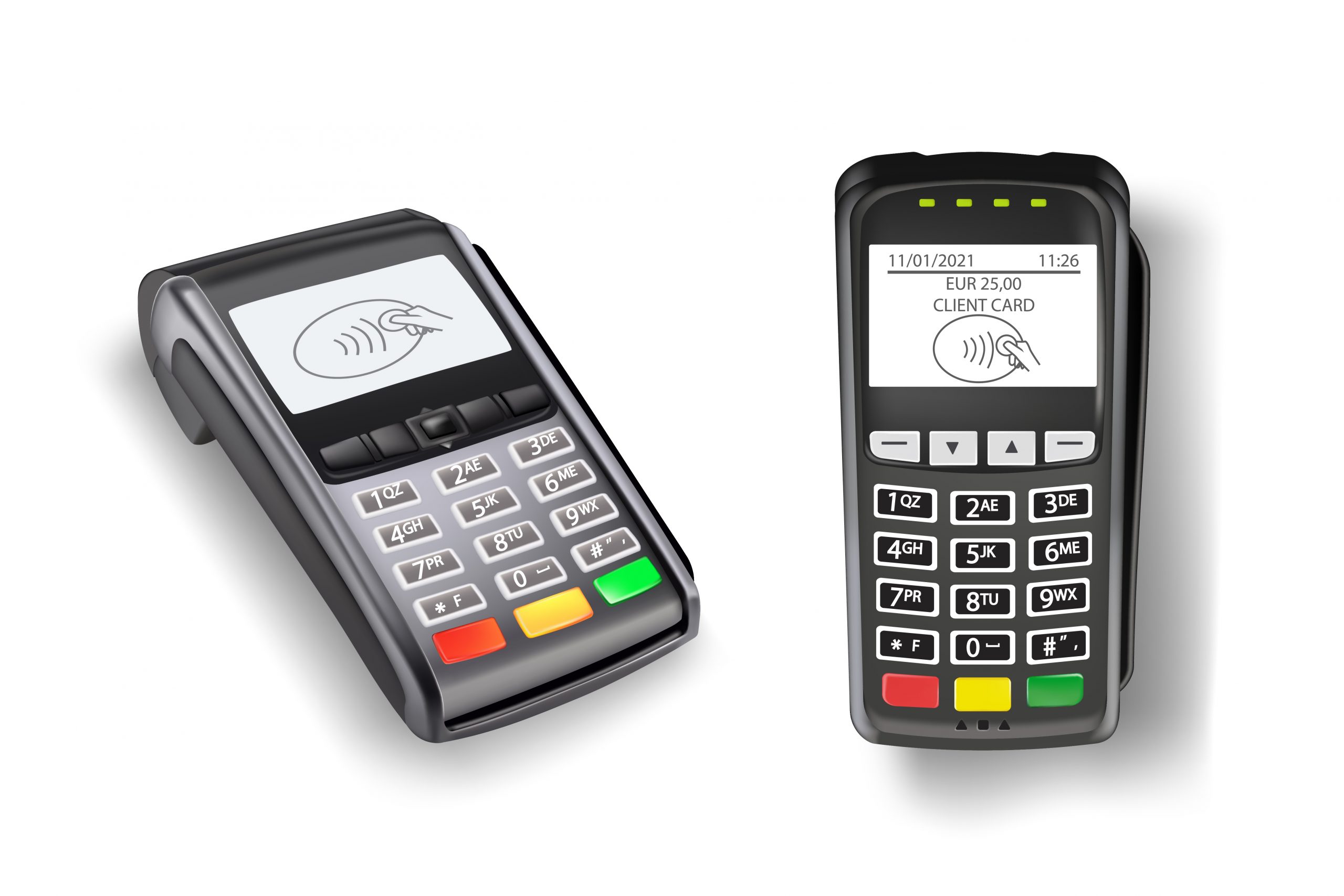
- How To Upgrade To An Advanced PoS Terminal?
- 1. Review Your Current Payment Process Before Upgrading
- 2. Prepare Your Team For The New Pos Terminal
- 3. Check Compatibility With Your Existing System
- 4. Ensure Connectivity And Network Readiness
- 5. Transfer Essential Business Data Safely
- 6. Test All Payment Methods On The New PoS Terminal
- 7. Review Battery Life And Portability Needs
- 8. Confirm Security Standards And Protection Features
- 9. Schedule Your Go-Live During Low Traffic Hours
- 10, Keep A Quick Support Channel Ready
- 11. Track Performance In The First Week
- Setting Your Business Up With The Right PoS Terminal
Improving the payment experience of your business is pretty much done by upgrading to a higher-level PoS terminal in a few simple steps.
With a customer device that meets their rising expectations, you execute payments fast, have a clear overview of your operations. And you are ready for any payment method that customers may choose.
Quite a few businesses make their upgrades for ease of use only, some to gain transaction speed, and others to achieve better security, besides which all three reasons are often combined.
Planning a smooth transition will make the whole process smoother and unnoticeable in terms of your daily routine. Before you install a new PoS terminal, it is always helpful to know:
- What to prepare.
- What to check once more.
- How to communicate the handover clearly from your old system to the new one.
This checklist will accompany you at every stage of you are planning to learn how to upgrade to an advanced PoS terminal.
Therefore, keep on reading…
How To Upgrade To An Advanced PoS Terminal?
Use this guide to move through each stage with clarity and confidence! Here’s how to upgrade to an advanced PoS terminal:
1. Review Your Current Payment Process Before Upgrading
Begin by looking at how your existing PoS terminal performs on a normal business day. Check the payment methods you use most, the most common issues faced by staff, the time each transaction takes and the points where queues build up.
This gives you a realistic view of your needs. You can also identify gaps, such as limited acceptance options or slow hardware. Once you know the challenges, the shift to a more capable PoS terminal becomes more precise and cost-effective.
2. Prepare Your Team For The New Pos Terminal
Your team will interact with the PoS terminal hundreds of times each day. Clear instructions help them adjust quickly. Share information on new features like improved connectivity, built-in printers and value-added services.
Create a short guide that covers the basics. This reduces confusion on launch day and keeps transactions steady from the start. The more confident your staff feels, the easier the transition becomes.
3. Check Compatibility With Your Existing System
Before switching, confirm how the new PoS terminal fits into your current setup. Review your billing software, CRM tools and reporting requirements.
Smooth integration saves time and avoids manual work. A compatible PoS terminal also reduces errors in settlements and reconciliations. When your systems communicate well, your checkout experience becomes far more consistent.
4. Ensure Connectivity And Network Readiness
A PoS terminal needs to be able to connect to the internet with a strong signal if it wants to process payments without any kind of interruption. Make sure you have a strong Wi-Fi signal in your store and check whether a 4G backup is necessary.
Take signal strength readings in different parts of your store and decide if there is a need for more routers to cover the areas with weak signals.
Constant connection to the internet is what makes the lines at the counters shorter, turns the customers into happy ones, and gives you a stable payment flow throughout the day.
5. Transfer Essential Business Data Safely
Any transition is smoother when important data is organised in advance. Prepare your old transaction logs, settlement summaries, and customer data. Check what needs to be moved and what can be archived.
This ensures your new PoS terminal has all the information required for day-to-day operations. A clear data transfer also keeps your records consistent for accounting and compliance.
6. Test All Payment Methods On The New PoS Terminal
Once the device arrives, run test transactions to check acceptance for cards, wallets, loyalty rewards, gift cards, and UPI. Ensure that international cards with currency conversion options work without issues.
A PoS terminal must handle every payment your customers prefer. Testing also helps identify small configuration fixes before you go live.
7. Review Battery Life And Portability Needs
Many businesses serve customers across the shop floor. A PoS terminal with strong battery backup and easy portability keeps your payments active through the busiest hours. Check how long the device lasts during continuous usage.
If you operate pop-ups or outdoor kiosks, test mobility and charging time. A reliable battery prevents last-minute interruptions and improves your service flow.
8. Confirm Security Standards And Protection Features
Security is a non-negotiable part of every PoS terminal upgrade. Review encryption standards, compliance levels and fraud prevention tools.
Confirm the presence of secure hardware modules and features that track unusual transaction patterns. Strong security protects sensitive customer information, reduces risk and builds trust with every transaction.
9. Schedule Your Go-Live During Low Traffic Hours
Choose a time when customer footfall is naturally low. This helps your team test the PoS terminal in real conditions without pressure.
Use this window to check connectivity, printing and settlement reports. A controlled launch gives your team the opportunity to adjust settings smoothly, making the final roll-out more confident and stable.
10, Keep A Quick Support Channel Ready
Even the best technology may require occasional assistance. Maintain easy access to support during your initial setup days.
Immediate help prevents disruptions during peak hours. A PoS terminal becomes more dependable when you know expert assistance is available when needed.
11. Track Performance In The First Week
After going live, observe how the new PoS terminal performs during high traffic hours, weekend sales or special promotions.
Monitor settlement speed, queue movement, acceptance success rate and feedback from your team. These insights help you fine-tune the device settings and unlock smoother efficiency across your store.
Setting Your Business Up With The Right PoS Terminal
We hope that you now have a clear idea of how to upgrade to an advanced PoS terminal. Switching to an advanced PoS terminal brings clarity, speed and a far better customer experience.
A well-planned transition helps your business adapt without affecting daily operations. Once your team is confident with the PoS terminal and all features are functioning smoothly, you will begin to see the long-term benefits in service quality, operational efficiency and customer satisfaction.
If you are looking for a future-ready PoS terminal with smart features, seamless integrations, strong connectivity and secure payment processing, you have many options in the market. You can explore solutions offered by brands like Pine Labs. For more information, visit https://www.pinelabs.com/.




Related Articles



Comments Are Closed For This Article