








Help! My Phone Is Gone: A Stress-Free Guide On Exactly What To Do If Your Phone Is Stolen Or Lost
18 August 2026
8 Mins Read
- What To Do If Phone Is Stolen: 7 Easy Steps That You Need To Follow!
- Step 1: Call Your Phone Or Send An Alert
- Step 2: Send A Quick Text Message
- Step 3: Use The Built-In Tracking Feature
- Step 4: Remotely Erase Your Personal Data
- Step 5: Lock The Screen And Change Passwords
- Step 6: Contact Your Mobile Carrier
- Step 7: Alert The Local Police
- What To Do If Phone Is Stolen: Reporting It To The Police
- Dealing With Unauthorized Calls And Big Bills
- · The 24-Hour Rule
- · Ask For A Discount
- · Dispute Late Charges
- · Check Your Insurance
- Getting A Replacement SIM Card And Phone
- · Getting A New SIM
- · The Contract Stays Active
- · Your Replacement Options
- How To Handle Insurance And Protect Your Future Devices
- How To Safeguard Your Phone Before It Vanishes
- 1. Turn On Tracking Tools Right Away
- 2. Protect Your Lock Screen Settings
- 3. Write Down Your IMEI Number Now
- Bonus Tip For Readers In India: How To Verify Or Block A Stolen Phone
- 4. Turn On Automatic Backups
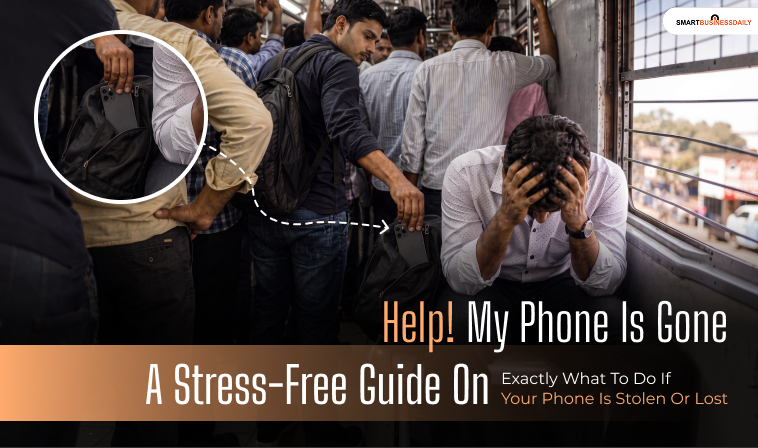
- 5. Be Smart In Public Spaces
Losing your phone is a total nightmare. Sadly, it happens to a lot of us.
Did you know that thousands of phones vanish every single day? It is a scary thought, but you do not have to panic.
If your device suddenly goes missing, you need to act fast. Knowing exactly what to do if phone is stolen can protect your private data and help you get it back.
First, take a deep breath. Next, follow a few easy steps to secure your information.
We have put together some simple, stress-free tips to help you out. Read on to learn how to keep your personal life safe and hunt down your missing device quickly.
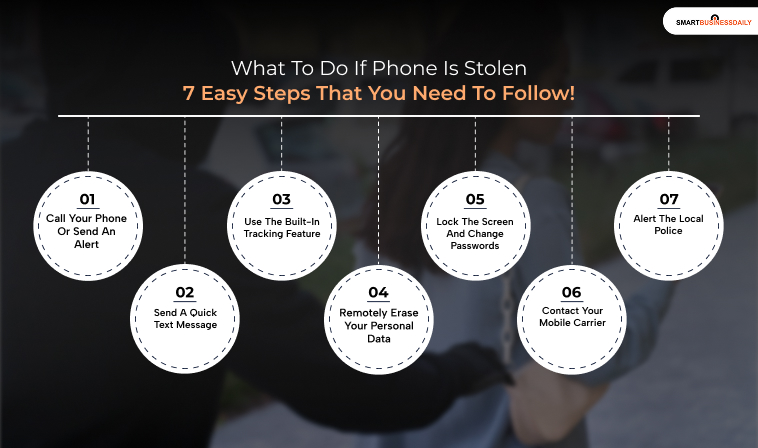
What To Do If Phone Is Stolen: 7 Easy Steps That You Need To Follow!
Losing your phone is a total nightmare, but you do not have to panic. If your device suddenly goes missing, you need to act fast.
Knowing exactly what to do if phone is stolen can protect your private data and help you get it back safely.
Here are seven easy steps you should follow right now.
Step 1: Call Your Phone Or Send An Alert
First, start with the simplest trick. Use another device to call your mobile phone.
Even if your phone is set to silent, it might be sitting on a hard counter where you can hear it vibrate.
Additionally, you can log into your mobile carrier’s app. Many of these apps let you override your silent settings to play a loud alarm.
Step 2: Send A Quick Text Message
Next, try sending a text message to your own number. If you have lock screen notifications turned on, a kind stranger who finds it will see your message.
Include a temporary phone number or email address where they can reach you to return the device.
Step 3: Use The Built-In Tracking Feature
Fortunately, your phone has powerful tracking tools built in. Apple users can use the Find My app, while Android users can use Find My Device.
If you turned this feature on before losing the phone, you can track its location on a map, make it ring, or lock it from anywhere.
Step 4: Remotely Erase Your Personal Data
However, if you are sure someone stole your phone, you must delete your data immediately.
Clever thieves will quickly remove your SIM card or block network signals, which stops you from wiping the device later.
How To Erase An iPhone
- Open the website: Go to icloud.com/find using a computer, tablet, or another phone.
- Sign in: Log in using your Apple ID and password.
- Select your phone: Click on All Devices at the top, then choose your missing iPhone from the list.
- Wipe the device: Click on Erase iPhone to delete all your private information.
How To Erase An Android Phone
- Open the website: Go to android.com/find on any available device.
- Sign in: Log in to the Google account connected to your missing phone.
- Wipe the device: Find your phone on the left-hand menu and click Erase Device to clear your data.
Step 5: Lock The Screen And Change Passwords
If you cannot find the device quickly, use the tracking apps mentioned in Step 3 to lock it down completely.
Right after that, change the passwords for all your online accounts. Protect your banking apps, email accounts, and social media pages first.
Step 6: Contact Your Mobile Carrier
If you still cannot find your phone, call your wireless company right away. They can turn off your service so nobody can use your data.
Even better, they can blacklist the phone itself. This means the phone becomes a useless brick, even if a thief tries to put a new SIM card inside.
Step 7: Alert The Local Police
Finally, report the incident to the police. While they might not be able to track down your missing device, an official police report is still incredibly useful.
You will definitely need this paperwork if a thief makes fake charges with your accounts or if you need to file an insurance claim.
What To Do If Phone Is Stolen: Reporting It To The Police
If you are certain your device was taken, involve the authorities immediately.
Knowing what to do if your phone is stolen means getting official paperwork to protect yourself.
- Report it quickly: Call the non-emergency police number (like 101) or visit your local station in person as soon as possible.
- Get your IMEI number: Ask your phone company for your phone’s unique identification number (IMEI) and give it to the police.
- Keep the crime reference number: Always write down the official case or crime reference number. You’ll need this if you want to file an insurance claim later.
Dealing With Unauthorized Calls And Big Bills
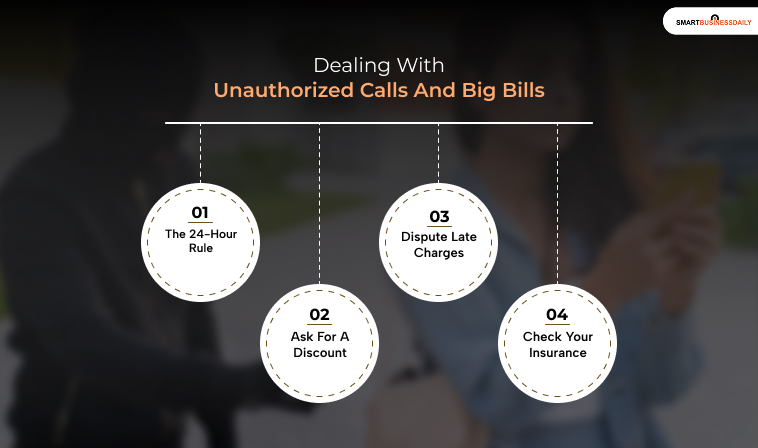
If a thief gets into your phone and starts making expensive calls, you might be on the hook for the charges. However, acting fast can save you a lot of money.
· The 24-Hour Rule
Many phone networks will cap your bill at a maximum of £100 if you report the phone missing within 24 hours. Keep in mind this usually only applies to monthly contracts, not pay-as-you-go credit.
· Ask For A Discount
If your company tries to charge you a huge bill for calls made before you reported the loss, call them and ask for a bill reduction.
Sometimes they will do this just to be nice, even if they do not have to.
· Dispute Late Charges
If your network tries to charge you for calls made after you officially reported the phone missing, do not pay it. Contact them immediately to dispute the bill.
· Check Your Insurance
Some phone insurance policies cover the cost of accidental or stolen calls made before you can report the device missing.
Getting A Replacement SIM Card And Phone
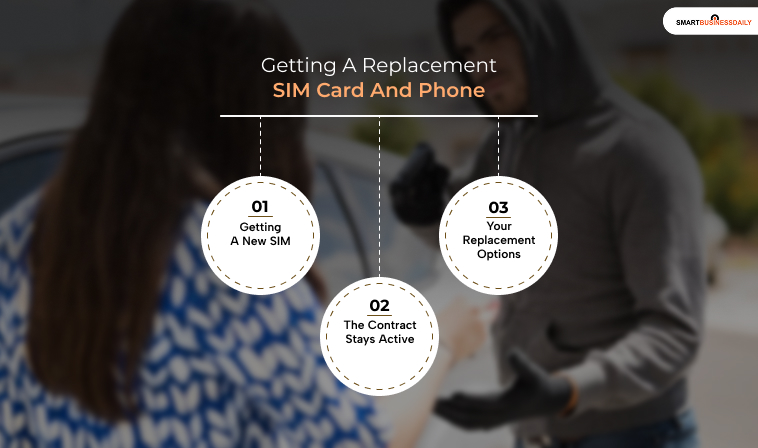
Once the dust settles, you will need to figure out how to get back online. Here is what to expect from your network provider.
· Getting A New SIM
Your phone company will happily send you a replacement SIM card, though they might charge a small setup or admin fee.
· The Contract Stays Active
Unfortunately, your company will not give you a free phone, and you still have to pay your normal monthly bill until your contract officially ends.
· Your Replacement Options
If you don’t have insurance, you will either need to buy a new phone yourself to finish your current contract or wait until it expires to upgrade to a new deal.
How To Handle Insurance And Protect Your Future Devices
If you protected your phone ahead of time, getting a replacement is a much smoother process.
- File an insurance claim: Call your phone insurance provider or check your home insurance policy to see if your mobile device is covered.
- Provide your proof: Give your insurance company the crime reference number you got from the police to speed up delivery of your replacement phone.
- Register your next phone: To protect your next device, register it for free on a database like Immobilize. If the police ever recover a lost or stolen phone, they use this system to find the rightful owner and return it to you.
You May Also Love To Read: How Can Anon Vault Give You Full-Fledged Data Security In 2026?
How To Safeguard Your Phone Before It Vanishes
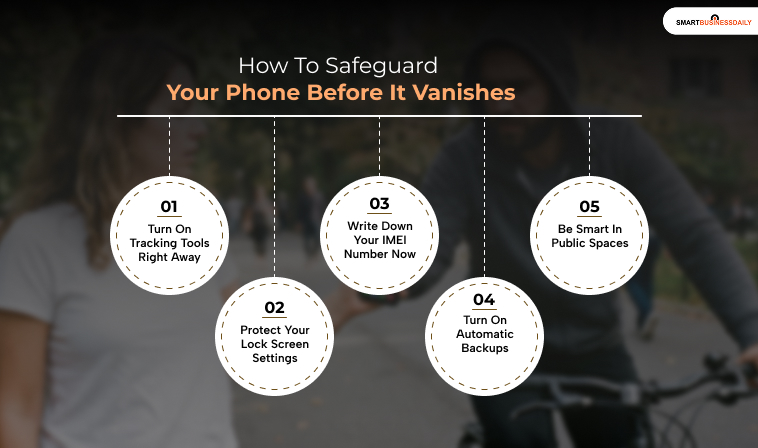
The absolute best way to handle a stolen phone is to prepare for it before it ever happens.
By taking a few minutes to set up your device right now, you can make a thief’s life miserable and guarantee you can track your phone down later.
1. Turn On Tracking Tools Right Away
Do not wait until your phone is gone to find out your tracking features are turned off.
- For iPhones: Go to Settings > [Your Name] > Find My and make sure Find My iPhone is turned on. Also, toggle on Find My Network so you can locate your phone even if it is offline or turned off.
- For Androids: Go to Settings > Google > Find My Device and switch it on.
2. Protect Your Lock Screen Settings
Sophisticated thieves will immediately swipe down on your locked screen to turn on Flight Mode.
This disconnects your phone from the internet and stops you from tracking it. You can easily block this.
- On iPhone: Go to Settings > Face ID & Passcode and turn off Control Center and USB Accessories under the “Allow Access When Locked” menu.
- On Android: Go to Settings > Lock Screen > Secure Lock Settings and turn on Lock network and security. This prevents anyone from turning off Wi-Fi or mobile data without your PIN.
3. Write Down Your IMEI Number Now
Every single mobile phone has a unique 15-digit serial number called an IMEI. Think of it like your phone’s fingerprint.
If your phone is stolen, the police and your network provider will need this exact number to block the device nationwide.
How to find your IMEI number right now:
- The quick-dial trick: Open your phone’s call screen and dial *#06#. The 15-digit code will instantly pop up on your screen. Take a quick screenshot and save it somewhere safe outside your phone.
- Check your phone settings: If you cannot dial the code, go to Settings > About Phone (on Android) or Settings > General > About (on iPhone).
- Look at your paperwork: You can also find your IMEI printed clearly on your original retail purchase bill or on the barcode sticker of your phone’s original packaging box.
Bonus Tip For Readers In India: How To Verify Or Block A Stolen Phone
If you live in India, the government provides an amazing official tool called the Sanchar Saathi CEIR Portal to track down or block stolen phones nationwide.
You can easily check if a secondhand phone is genuine or report your own phone if it gets snatched.
Here are three fast ways to use the official KYM (Know Your Mobile) service:
- Grab any mobile phone and send a text message with KYM Your-15-Digit-IMEI to the shortcode 14422.
You will instantly get a reply showing if the phone is blacklisted or cloned.
- Secondly, you can visit the Sanchar Saathi CEIR IMEI verification page online. Enter your mobile number to get a quick, secure OTP, type in the IMEI, and view the status immediately.
- Lastly, you can search for the KYM – Know Your Mobile app on the Google Play Store or Apple App Store to scan and verify devices on the go.
4. Turn On Automatic Backups
If a thief wipes your phone, your photos, messages, and contacts don’t have to disappear forever.
Go into your iCloud or Google Drive settings and turn on automatic daily backups.
That way, your life’s memories are safely stored in the cloud, ready to be dropped onto a replacement device.
5. Be Smart In Public Spaces
Finally, practice a little bit of physical safety. Never leave your phone sitting out on a restaurant table or a bar counter where someone can easily snatch it while you are looking away.
On busy public transport, keep your phone in a zipped front pocket or securely in your hand instead of a loose back pocket or open bag.




Related Articles