








How To Play Google Minesweeper: Beginner Guide + Winning Tips
16 March 2026
7 Mins Read
- What Is Google Minesweeper?
- Why the Game Is Still Popular
- How To Access Google Minesweeper?
- 1. Playing Through Google Search
- 2. Playing On Mobile Devices
- Understanding The Minesweeper Game Board
- 1. The Grid Layout
- 2. What The Numbers Mean
- 4. Flags And Markers
- Basic Rules Of Google Minesweeper
- 1. Goal Of The Game
- 2. What Happens When You Click A Mine
- 3. Clearing Empty Areas
- 4. Winning The Game
- How To Play Google Minesweeper: A Step-by-Step Guide For Beginners
- 1. Start With Random Clicks
- 2. Analyze The Numbers
- 3. Mark Suspected Mines
- 4. Clear Safe Areas
- Winning Tips For Google Minesweeper
- 1. Always Look For Guaranteed Safe Moves
- 2. Use The Numbers To Calculate Mines
- 3. Avoid Random Guessing
- 4. Use Flags Carefully
- 5. Scan The Board Frequently
- What Are Some Advanced Minesweeper Strategies?
- 1. Pattern Recognition
- 2. Edge And Corner Strategies
- 3. Multi-Tile Analysis
- 4. Probability-Based Decisions
- What Are Some Common Mistakes Beginners Make?
- 1. Clicking Too Quickly
- 2. Ignoring Number Clues
- 3. Overusing Flags
- 4. Not Rechecking The Board
- The Gameplay Of Google Minesweeper Explained
Ever found yourself staring at a grey grid of squares on an old desktop computer?
Then you probably already know the thrill and frustration of Google Minesweeper.
It is one of those legendary games. It feels like a rite of passage for anyone who grew up with a mouse in their hand.
Today, Google has brought this classic back to life directly in your search results.
It is a true test of logic, and I am going to show you exactly how to conquer it.
What Is Google Minesweeper?
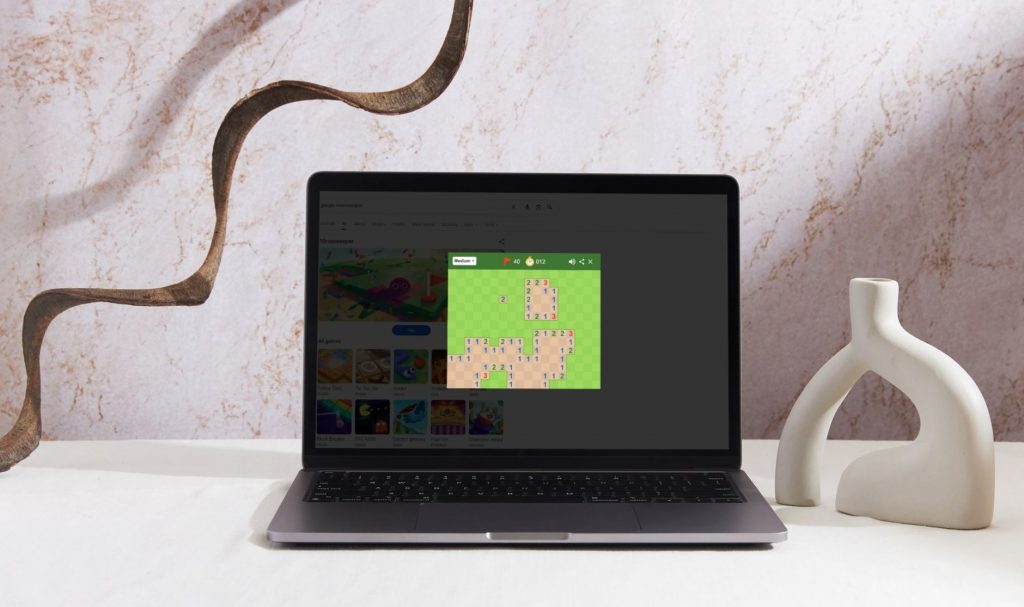
Google Minesweeper is a puzzle game where players must uncover tiles without triggering hidden mines.
It is a high-stakes game of deduction. Every square you click could be a safe zone or the end of your run.
The objective is to clear the entire grid while identifying all mine locations using the clues provided by the board.
The game was originally popularized through early computer operating systems and became a household name through various Microsoft Windows versions.
It served a dual purpose back then. It entertained users and taught them how to use a mouse effectively.
Now, you do not need to install anything. It is playable instantly through a simple Google search.
Why the Game Is Still Popular
The beauty of Minesweeper lies in its simple but challenging gameplay. It is easy to play but incredibly difficult to master.
In a world of complex video games, this minimalist puzzle improves logical thinking and problem-solving skills.
It provides that perfect “just one more round” feeling that keeps players coming back for decades.
How To Access Google Minesweeper?
You can play this game on more than one platform. Let’s check the options out:
1. Playing Through Google Search
Accessing the game is incredibly straightforward. You just need to search “Google Minesweeper” in your browser.
A built-in game widget will appear at the top of the search results.
You can click the “Play” button to start instantly without leaving the page.
2. Playing On Mobile Devices
You are not restricted to a desktop. The game is fully available through mobile browsers on both Android and iOS.
The interface adapts to touch-based gameplay. Instead of right-clicking to flag a mine, you usually use a long press or a toggle button on the screen.
Understanding The Minesweeper Game Board
1. The Grid Layout
The board consists of a grid of square tiles. Behind these tiles, a specific number of mines are randomly hidden.
Your job is to peel back the layers of the grid without making a fatal mistake.
2. What The Numbers Mean
The numbers are your only allies in this game. When you click a safe tile, it may show a number.
This number indicates how many mines are in the eight surrounding tiles. If you see a “1”, there is exactly one mine touching that square.
If you see a “4”, things are getting dangerous.
3. Hidden Tiles
These are the squares you have not clicked yet. They represent the unknown.
Every hidden tile is either a safe spot or a mine.
You must use the numbers on the revealed tiles to deduce what lies beneath the hidden ones.
4. Flags And Markers
Flags are essential for organization. You use them to mark suspected mine locations.
By flagging a tile, you prevent yourself from accidentally clicking it later.
It helps you visualize the safe paths left on the board.
Basic Rules Of Google Minesweeper
1. Goal Of The Game
The ultimate goal is to reveal all safe tiles. You do not actually have to click the mines to win.
Rather, you just have to clear everything else.
2. What Happens When You Click A Mine
If you click a mine, the game ends immediately. All the hidden mines will be revealed.
Additionally, you will have to restart your progress from the beginning.
3. Clearing Empty Areas
One of the best feelings in the game is the “opening.”
When you click a safe tile that is not touching any mines, the game automatically clears all nearby empty spaces.
Also, this gives you a massive head start on the logic puzzle.
4. Winning The Game
You win when all safe tiles are revealed. While many players like to flag every single mine, the game officially ends once the last non-mine square is uncovered.
How To Play Google Minesweeper: A Step-by-Step Guide For Beginners
1. Start With Random Clicks
In the Google version of the game, the first move is usually safe. I always recommend clicking near the center or corners to try and trigger a large opening of empty tiles.
2. Analyze The Numbers
Once the board opens up, look at the numbers.
Firstly, if a “1” is only touching one hidden tile, that tile is guaranteed to be a mine.
Additionally, if a “2” is touching exactly two hidden tiles, both are mines.
3. Mark Suspected Mines
As soon as you identify a mine, flag it. This keeps your brain focused on the remaining mystery tiles rather than re-solving the same puzzle over and over.
4. Clear Safe Areas
After flagging a mine, look at the numbers again. If a “1” is already touching a flagged mine, all other hidden tiles around that “1” are safe to click.
Winning Tips For Google Minesweeper
1. Always Look For Guaranteed Safe Moves
When you first start a game, look for the obvious wins. If a tile displays the number “1” and it is only touching one unrevealed square, that square is a mine.
In addition, once you flag it, any other squares touching that “1” are guaranteed to be safe.
Also, I always double-check these simple patterns first. It helps me clear as much of the board as possible without risk.
2. Use The Numbers To Calculate Mines
Do not just look at one number in isolation. Compare multiple numbers that share the same hidden tiles.
If a “1” and a “2” are next to each other, they are often fighting over the same potential mine locations.
This mathematical overlap is the key to solving the more crowded sections of the grid.
3. Avoid Random Guessing
Minesweeper is a game of logic, not luck. Beginners often get stuck and click a random tile, but there is almost always a logical solution if you look closely enough.
Try to solve every other part of the board before you even consider taking a 50/50 shot on a difficult corner.
4. Use Flags Carefully
Flags are your best friends for staying organized. You should only flag tiles that you are absolutely confident contain mines.
Additionally, if you misplace a flag, it will throw off your count for every surrounding number.
So, this will lead to a chain reaction of mistakes.
5. Scan The Board Frequently
The board is dynamic. Every time you open a new safe area, fresh clues appear.
I like to scan the entire perimeter of the opened area every few moves.
A section that looked impossible a minute ago might now be solvable because of a new number revealed nearby.
What Are Some Advanced Minesweeper Strategies?
1. Pattern Recognition
As you play more, you will start to see the same shapes over and over.
For example, the “1-2-1” pattern on a straight wall always means the mines are under the two “1s” and the tile under the “2” is safe.
Learning these patterns by heart will significantly increase your speed and accuracy.
2. Edge And Corner Strategies
I always find the corners to be the most difficult parts of the board. Do you too?
Additionally, this is because they have fewer neighbors.
However, they can also provide the clearest logic clues. Of course, as the options are limited.
So, the real winning move happens when you can solve a corner early. Then, it often opens up a path into the middle of the grid.
3. Multi-Tile Analysis
Sometimes you have to look three or four steps ahead. This involves imagining what would happen if a certain tile were a mine.
If that choice leads to a logical impossibility for the surrounding numbers, then you know that tile must be safe.
4. Probability-Based Decisions
In some rare cases, the game forces you to guess. When this happens, do not just click anywhere.
Look at the numbers to see which hidden tile has the lowest statistical probability of being a mine.
A tile touching a “1” is statistically safer than a tile touching a “3” if both are unknown.
What Are Some Common Mistakes Beginners Make?
1. Clicking Too Quickly
It is tempting to try and beat the clock, but fast clicks increase the risk of mistakes.
One slip of the finger and your game is over. I suggest focusing on accuracy first.
The speed will come naturally once your brain starts recognizing patterns instantly.
2. Ignoring Number Clues
Every number on the board is a piece of a puzzle.
If you ignore even one “1” in a corner, you are missing a vital clue that could unlock the rest of the board.
Take your time to process every revealed digit.
3. Overusing Flags
While flags are helpful, cluttering the board with “maybe” flags can be confusing.
Only mark what you know for sure. If you are unsure, leave it blank until you have more information.
4. Not Rechecking The Board
New openings reveal additional clues.
Many beginners get “tunnel vision” and focus on one difficult area while ignoring easy moves that have opened up elsewhere on the grid.
The Gameplay Of Google Minesweeper Explained
Google Minesweeper is a timeless classic for a reason. Additionally, it perfectly balances simplicity with deep, rewarding logic.
Also, this is regardless of whether you are playing for a quick mental break or trying to shave seconds off your Expert Mode record.
Either way, this game offers endless challenges.
Additionally, I suggest you remember that patience is just as important as logic. So, do not rush your clicks. In fact, always trust the numbers provided by the grid.




Related Articles



Comments Are Closed For This Article