








How To Fix GPS Not Working: Quick Ways To Restore Your Location Services
23 June 2026
8 Mins Read
- Why Has My GPS Stopped Working? Reasons Vs How To Fix Them
- Poor Signal Environment
- Disabled Location Services
- Battery Saver Or Airplane Mode Enabled
- Hardware Malfunction
- Software Bugs Or Outdated Apps
- GNSS Signal Interference
- Do You Know? Your Phone Uses A Super-Network Called GNSS
- Meet The Big Four Satellite Networks Keeping You On The Map
- The Truth About Satellite Privacy And Your Smartphone
- Are iPhones Compatible with These Global Systems?
- What Makes Your Map Pin Drift? The Culprits Behind Location Failures
- 1. Physical Barriers Block The Sky
- 2. Electronic Devices And Harsh Weather
- 3. Phone Settings And Software Glitches
- Simple Steps To Get Your Map Back On Track Immediately
- A. Move To A Clear Space
- B. Toggle Your Connection Settings
- C. Turn Off Battery Saver Mode
- D. Restart Your Entire Device
- E. Turn On High Accuracy Mode (For Smartphone Users)
- F. Ditch Heavy Metallic Cases (For Smartphone Users)
- Advanced Pro-Tips To Boost Your Phone's Location Power
- 1. Utilize Multi-Band System Support
- 2. Adjust Your Tracker's Position
- 3. Download Useful Offline Maps
- 4. Always Have A Charged Battery
Why is my GPS not working?
Many people often ask the same question when navigation fails at critical times.
Maybe you are walking down city streets or hiking outdoors, and a broken map pin is incredibly frustrating.
This is a massive headache for small business owners who rely on smooth business travel to meet clients, deliver goods, or visit project sites on time, or maybe for ecommerce tracking.
Fortunately, learning how to fix a GPS not working is simple. Most modern phones use advanced GNSS satellite support to give you highly accurate tracking worldwide.
Usually, a quick settings refresh keeps your business moving without wrong turns.
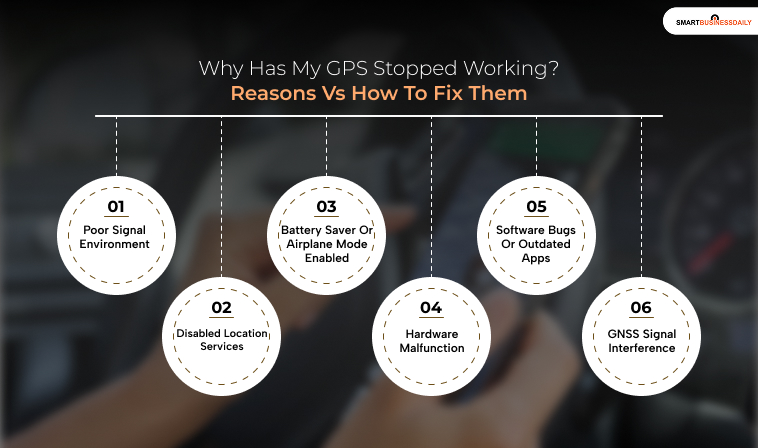
Why Has My GPS Stopped Working? Reasons Vs How To Fix Them
During an important business trip, a sudden navigation failure can make you late for a critical client meeting.
For small business owners, time is money, so a broken map app is a major emergency.
Before diving into deep fixes, let’s look at why your phone is struggling and how to get back on track.
Poor Signal Environment
Tall buildings, dense forests, tunnels, or being indoors can easily create a blockage for the satellite signals.
- The Fix: You can move to an open outdoor area where you can get a clear view. This can help you with better satellite reception.
Disabled Location Services
Your phone’s tracking might simply be turned off, or your specific app does not have permission to see where you are.
- The Fix: Open your phone settings, check that Location Services are enabled, and grant full location access to your map app.
Battery Saver Or Airplane Mode Enabled
Power-saving modes can limit your phone’s tracking performance to preserve battery life, while airplane mode shuts down all connections entirely.
- The Fix: You can disable Battery Saver mode and turn off Airplane Mode whenever you are using active navigation.
Hardware Malfunction
A damaged internal antenna or unexpected water exposure can impair your phone’s physical components.
- The Fix: You can try to restart your phone first. However, if you suspect physical damage, in that case you can consult a professional technician for a hardware diagnosis.
Software Bugs Or Outdated Apps
System glitches or outdated navigation apps can freeze or send you highly inaccurate location data.
- The Fix: You need to update your phone’s software and navigation apps to the latest versions. Or you can try reinstalling the app entirely.
GNSS Signal Interference
Environmental factors such as reflective glass surfaces or poor weather can make the satellite signals weak.
- The Fix: Learn how to fix GPS not working by simply waiting for better weather conditions or relocating to an area that has fewer signal obstructions.
Do You Know? Your Phone Uses A Super-Network Called GNSS
Most people still associate location tracking with “GPS,” but in fact, your mobile phone screen is just the tip of an iceberg.
In fact, today’s smartphones do not depend on a single location network. They utilize GNSS, which is an acronym for Global Navigation Satellite Systems.
Imagine GNSS as a huge global sports team.
Your phone smartly combines signals from several global navigation satellite systems, including America’s GPS, Russia’s GLONASS, China’s BeiDou, and Europe’s Galileo.
Therefore, even phones that are a little bit more than average and high-end ones can provide quite amazing tracking delay and accuracy worldwide.
For small business owners in particular, this feature is a tremendous boon.
Travel for business is the lifeblood of most such operations, and reliance on a smooth-working triple system is a business operation continuing business operations.
On the other hand, a technological breakthrough of this kind will not help you if an old software bug or a thick concrete ceiling gets in your way and you are unable to access location services.
So, if you get lost before a meeting, a GPS troubleshooting guide will not only help you fix your GPS.
This guide includes, among other things, instructions for those browsers on how to clear their location cache or avoid tall buildings.
These will also enable local and global satellite communication again, seamlessly.
Meet The Big Four Satellite Networks Keeping You On The Map
When you are traveling for work, your phone works behind the scenes to communicate with different satellite networks across the globe.
For small business owners, knowing how these networks support your business travel can give you peace of mind when finding a client’s office.
Here is a simple look at the four major networks your phone relies on to keep you moving:
| Network Name | Where It Comes From | What It Does Best |
| GPS | United States | This is the world standard that offers highly reliable, global tracking anywhere you go. |
| GLONASS | Russia | This network pairs with GPS and works exceptionally well in colder northern regions. |
| BeiDou | China | A fast-growing global system that can even send short text messages during emergencies. |
| Galileo | European Union | Built entirely for everyday public use, offering pinpoint accuracy to stop you from missing a turn. |
Consequently, if all four of these massive networks fail to track your device, the issue is likely a quick settings glitch rather than a space problem.
Learning how to fix GPS glitches—like toggling your location settings or restarting your device—will instantly help your phone reconnect to these global lifelines.
The Truth About Satellite Privacy And Your Smartphone
Some individuals are concerned that using global navigation satellite systems such as China’s BeiDou or Russia’s GLONASS might expose their privacy vulnerabilities.
Fortunately, the reality is quite comforting. Satellites only transmit signals downward to Earth.
So your phone does the listening and never transmits your personal information back into outer space.
In fact, your location privacy is largely determined by your phone’s operating system and the consent you grant to apps.
Hence, if you happen to be a small business owner going on an important business trip, it will be your app settings you need to monitor rather than satellites.
Are iPhones Compatible with These Global Systems?
Definitely, the latest iPhones incorporate a combination of systems, including GPS, GLONASS, and Galileo.
Actually, starting with iPhone 12, Apple has included support for BeiDou for the China mainland devices to provide higher accuracy.
When your maps become unresponsive in the middle of a tour, it’s probably just a crash. Learning how to fix the GPS issues, like verifying the application permissions, updating your map, etc.
will not only secure your information but also ensure you arrive at your meeting on time.
What Makes Your Map Pin Drift? The Culprits Behind Location Failures
When you are on critical business travel, a sudden location failure can make you miss an important client meeting. For small business owners, time is money, so a broken map app is a major emergency. Let’s look at what disrupts those signals traveling from outer space and how to handle it.
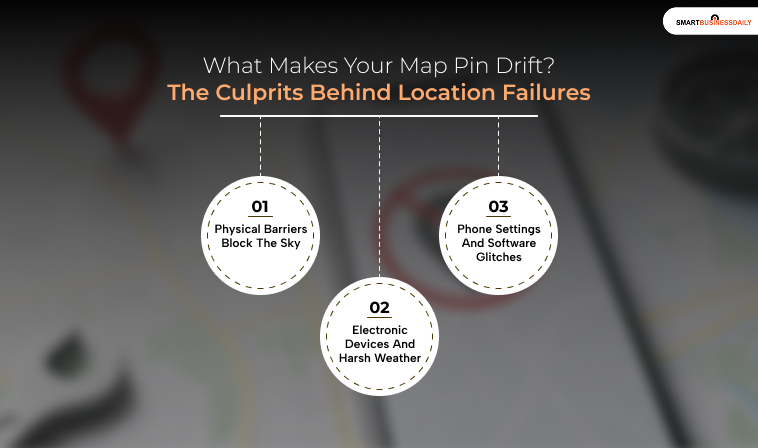
1. Physical Barriers Block The Sky
Tall city buildings bounce signals around, which deeply confuses your phone’s internal calculations.
Similarly, heavy tree leaves absorb the radio waves, while indoor concrete walls block them entirely.
If you are stuck, learning how to fix GPS not working issues usually starts by simply stepping outside into an open area.
2. Electronic Devices And Harsh Weather
Nearby electronics like dashboard cameras or certain car chargers can emit sneaky waves that jam your weak satellite signals.
Furthermore, while light clouds won’t hurt, massive thunderstorms can delay the signal’s travel through the air.
Moving away from messy electronics or waiting out a storm quickly clears the path.
3. Phone Settings And Software Glitches
Outdated mapping apps can struggle to process location data, while turning on Battery Saver mode often shuts down your tracking hardware completely to save power.
Additionally, if your device was off during a long flight, it needs a few minutes to download new satellite data from scratch before it works again.
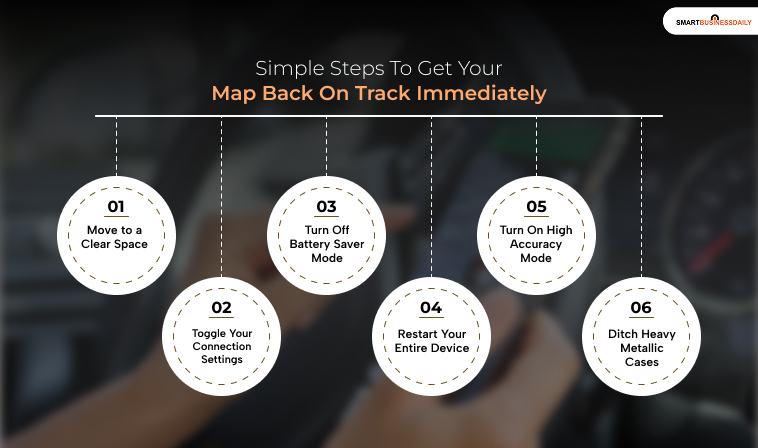
Simple Steps To Get Your Map Back On Track Immediately
Don’t let navigation errors upend your plans. Even many location problems can be fixed within minutes.
Tight business travel schedule? If you know how to troubleshoot GPS issues, you will always make your client meetings on time without stressful delays.
A. Move To A Clear Space
You’re going to have to step outside completely. Concrete buildings, thick forest foliage, and other obstructions can block satellite signals from reaching your device.
So, move away from any barriers as this will instantly give you a clear connection.
B. Toggle Your Connection Settings
You have to switch your location services off completely, wait 15 seconds, and turn them back on. You can also toggle Airplane Mode.
By doing this, you will immediately cause your device’s internal receiver to clear out errors and get fresh data.
C. Turn Off Battery Saver Mode
Immediately turn off any low-power or battery-saving mode. These modes can secretly deprive the phone’s navigation chips of the energy they need.
However, by switching them off, you will get back accurate, high-precision tracking.
D. Restart Your Entire Device
Whenever your map freezes during your ride, you need to reboot your phone immediately.
You can switch it off and on again. This will clear the background memory and software bugs that are contributing to the tracking issues.
E. Turn On High Accuracy Mode (For Smartphone Users)
In your settings, find and activate the “Improved Location Accuracy” feature. This intelligent tweak forces your phone to use a mix of cellular tower data, Wi-Fi networks, and GPS satellites. This way, tracking will be much faster.
F. Ditch Heavy Metallic Cases (For Smartphone Users)
Completely remove your phone from any heavy-duty or aluminum armor cases. Certain thick, rugged materials act like a shield and completely block the delicate tracking antenna in your phone.
Advanced Pro-Tips To Boost Your Phone’s Location Power
If you are looking for the best tracking configuration, a few professional-level ideas will help you get the highest accuracy while traveling.
For small business owners who also travel extensively, these high-end tips are just one way to make sure their maps don’t leave them stranded before a big presentation.
1. Utilize Multi-Band System Support
Leading smartphones usually use two frequency bands from multiple global networks simultaneously.
This clever technology quickly reduces signal errors to the point where the location error is almost negligible.
2. Adjust Your Tracker’s Position
Dedicated car trackers should always be placed with the sensor panels fully facing upward.
Besides, keeping them far from heavy vehicle metal is the best way to ensure a strong signal.
3. Download Useful Offline Maps
Pre-download your itineraries. Even if you experience a complete loss of cellular connectivity, offline maps will still allow you to navigate without difficulty.
4. Always Have A Charged Battery
Your tracking chips need to be continuously powered to function properly. Use a high-quality car charger at all times, especially on long road trips.
Thus, combining these high-end tricks with your everyday knowledge of how to resolve GPS issues will make your business travel a very pleasant experience.




Related Articles



Comments Are Closed For This Article