








Ecommerce Tracking Explained: What It Is And How It Actually Works For Small Businesses?
22 May 2026
6 Mins Read
- What Is Ecommerce Tracking?
- How Ecommerce Order Tracking Works
- What Happens When Something Goes Wrong
- The Small Business Reality: Ecommerce Fulfillment On A Tight Budget
- Choosing The Right Carrier For Your Business
- Table 2: US Carrier Quick Comparison For Small Ecommerce Sellers
- Real Small Business Wins
- How To Set Up Basic Ecommerce Tracking
Remember my friend who runs a small business out of her garage in Ohio? She started selling on Etsy in 2021. After that, she moved to her own Shopify store.
Within six months, her biggest headache was not making candles. Instead, she was mad about answering the same question day in and day out: “Where is my order?”
She was spending nearly two hours a day on customer emails. Most of them were asking about shipping updates she did not have. That changed when she got serious about ecommerce tracking. Her support emails dropped by more than half within 30 days.
If you sell online and struggle with this, this article is for you. We will walk through how ecommerce tracking works, what breaks down in the real world, and how a small US seller can build a system that actually holds up.
What Is Ecommerce Tracking?
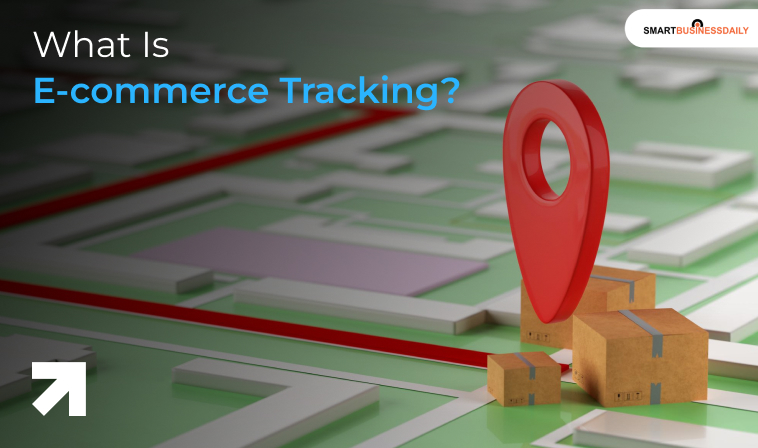
Ecommerce tracking is 360-degree monitoring of a customer’s order. In other words, you monitor an order from the “order placing” stage to the “ order received” stage.
Meanwhile, you collect proof of every stage when the order is handed over. But tracking is more than a number you send in a confirmation email. It covers the full journey:
- Inventory going out
- Shipments in motion
- Even the returns that comes back
To sum up, for a small business, the right ecommerce tracking makes the difference between a loyal customer and one who files a chargeback.
Again, according to research, 76% of shoppers say delivery experience affects brand loyalty. That is not a small number. It means your shipping experience actually builds your brand experience.
How Ecommerce Order Tracking Works
Think of an order’s journey in stages. In simple terms, each stage involves a status update, a carrier scan, or a customer notification. Here is what that looks like in practice:
Table 1: Ecommerce Order Tracking Stages
| Stage | What Happens | Who Gets the Update |
| Order Confirmed | Order number + delivery window sent | Customer via email/SMS |
| Shipped | Tracking number issued, the carrier scans the package | Customer + seller dashboard |
| In Transit | The package moves through sorting hubs | Customer via tracking portal |
| Out for Delivery | Final delivery scheduled | Customer with an estimated window |
| Delivered / Failed | Photo proof or delivery attempt failed notice sent | Customer + seller for follow-up |
The tricky part for small sellers is that most of these updates come from their carrier, not directly from them. Meanwhile, if you are not connected to that carrier data, you have no database to refer to when a customer asks where their package is.
To sum up, this is where USPS tracking and DHL eCommerce tracking come in. Both give you a portal or API to pull live status updates.
Again, most ecommerce platforms like Shopify, WooCommerce, and BigCommerce let you connect with these carriers and automatically surface that data on a branded page. On the page dashboard, customers can track ecommerce orders without leaving your site.
What Happens When Something Goes Wrong
Not every delivery goes smoothly. A “delivery attempt failed” notice is one of the more frustrating experiences for both the seller and the buyer.
This usually happens when no one is home, the address is incorrect, or a signature is required. Any of these circumstances can severely delay your last-mile delivery.
The worst thing you can do is say nothing. Therefore, the best course of action is to send a proactive update.
Tell the customer what happened and what happens next. That one message can stop three or four angry emails before they start.
Most importantly, the customer may be angry. However, your honesty might save you from losing the customer.
Most modern shipping tools handle this automatically once your carrier connections are set up.
You Can Also Check: How Does Same Day Delivery Work For Small Businesses?
The Small Business Reality: Ecommerce Fulfillment On A Tight Budget
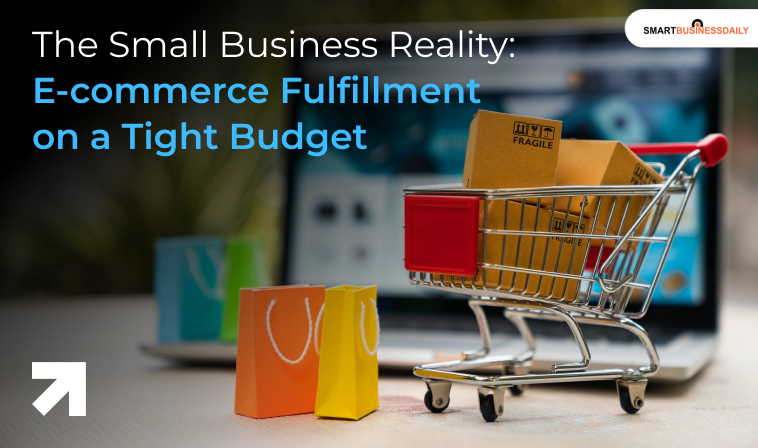
Here is what most tracking guides skip. The logistics behind the update matter just as much as the notification itself.
If your ecommerce fulfillment process is disorganized, the tracking data will be wrong or delayed. Meanwhile, that would confuse customers more than silence.
Take the FIFO method that represents the first-in, first-out strategy. This approach is equally important for big players and small businesses.
If you ship older stock last, you risk sending items near expiry or out of season. Instead, when you apply FIFO, you clear the previous stock first and then start vending out the latest stock. As a result, your tracking data also remains perfect.
But what to do when your inventory runs out? You can start accepting backorders. But what is a backorder?
A backorder means a customer ordered something you do not currently have in stock. If your store does not flag this clearly, the customer will confuse it with a normal order. So send an honest ship date estimate to maintain trust.
Keeping the safety stock formula in mind also helps. Safety stock is a buffer you hold to handle unexpected demand or supply delays.
Choosing The Right Carrier For Your Business
One of the most practical decisions you will make is picking a carrier. Your choice affects cost, speed, and the quality of tracking data your customers see.
Table 2: US Carrier Quick Comparison For Small Ecommerce Sellers
| Carrier | Best For | Tracking Portal |
| USPS | Lightweight parcels, residential delivery | tools.usps.com |
| DHL eCommerce | International + cross-border small business | dhl.com/tracking |
| UPS | Heavier items, B2B, expedited shipping | ups.com/track |
| FedEx | Time-sensitive and overnight orders | fedex.com/tracking |
| Sendle | Small business, eco-friendly domestic parcels | sendle.com/tracking |
For sellers just starting out, USPS is often the cheapest option for packages under a pound. A common question from newer sellers is can you buy stamps at UPS.
They must know UPS Stores do sell stamps, but for actual shipping labels. That means you will have to go through the carrier’s own platform or a shipping software.
For domestic small-business shipping, Sendle USA is worth a look. This platform focuses on small-parcel delivery with flat-rate pricing and solid built-in tracking. Many Etsy and Shopify sellers use it as a lower-cost alternative to UPS.
Real Small Business Wins
Back to my friend in Ohio. After connecting her Shopify store to USPS and setting up automated tracking email triggers, the “where is my order” emails stopped almost entirely.
She also built a simple returns-tracking flow for the 10-15% of orders that came back. That alone cut her customer service time in half.
Another example: a jewelry seller in Austin, Texas, named Priya, grew her revenue by 40% in one year. She did that not by making more jewelry. But by improving her post-purchase experience.
She added a branded order-tracking page, sent SMS updates at each stage, and reduced her dispute rate to nearly zero. As a result, almost all of her first-time buyers became repeat customers.
She did not change her products. However, she changed how customers felt during the wait. Neither of these sellers had a complicated logistics setup. They just made the invisible parts of their business visible.
How To Set Up Basic Ecommerce Tracking
You do not need a complex setup to get started with ecommerce tracking. Here is a practical path for a small US seller.
First, connect your ecommerce platform to your carrier. Shopify, WooCommerce, and BigCommerce all have native carrier integrations. After that, tracking numbers are generated and sent automatically when labels are created.
Second, customize your notifications. Most platforms let you edit the email or SMS that goes out at each stage. Make it sound like you, not like a shipping robot. Remember, customers notice these minute details too.
Third, create a branded tracking page. Instead of sending customers to a carrier website, keep them on your site. It reduces bounce and creates another touchpoint for upsells or feedback collection.
Fourth, plan for exceptions. Have a process ready for when a package is lost or a delivery attempt fails. Just remember that a human response beats a cold auto-reply every time.
Additional Resource: Last Mile Delivery Optimization: What Small Businesses Actually Need To Know




Related Articles

Comments Are Closed For This Article