








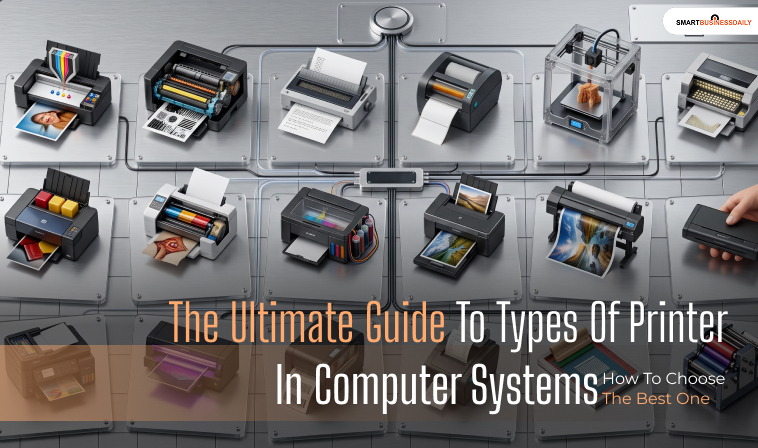
The Ultimate Guide To Types Of Printer In Computer Systems: How To Choose The Best One
28 August 2026
5 Mins Read
- Impact Printers: Traditional Yet Legacy Technology
- Dot Matrix Printers
- Non-Impact Printing Systems (Modern Standard)
- · Laser Printers
- · Inkjet Printers
- · Thermal Printers
- Specialty Production Printers
- · Plotters
- · 3D Printers
- Strategic Decision Guide: Choosing The Right Printing Node
- Network Connectivity And Driver Architecture: How Printers Interface With Modern Os
- Sustainability And Institutional Compliance
- Best Practices To Use Types Of Printer In Computer Efficiently
- 1. Execute Regular Internal Firmware Patches
- 2. Perform Electronic Print-Head Calibration Cycles
- 3. Clean Clogged Inkjet Nozzles Via Thermal Purging
- 4. Safely Manage Laser Toner And Fuser Components
A printer is one of the most essential computer peripherals, translating digital text and images into physical hard copies.
However, not all printers function the same way.
The technology inside them dictates their speed, print quality, running costs, and ideal use cases.
Understanding the different types of printer in computer setups helps you choose the perfect machine for your home, school, or business.
Printers fall into two main categories: Impact Printers and Non-Impact Printers.
Let’s explore how each one works.
Additionally, if you want to know how to set up a printer or what does collate mean when printing, check out the attached detailed guides.
Impact Printers: Traditional Yet Legacy Technology
Impact printers are an older class of printing technology.
They create images by physically striking an inked ribbon against paper, much like a traditional typewriter.
In addition, a lot of people are confused about what is a sublimation printer. For that, the attached guide suffices.
Dot Matrix Printers
- How they work: They use a print head containing a matrix of tiny pins. These pins strike an ink ribbon to form letters and images out of tiny dots.
- Best for: Printing multi-part carbon copy forms (like invoices, shipping manifests, and receipts) where physical impact is required to transfer ink through multiple layers.
- Pros And Cons: They are incredibly durable and have very low running costs. However, they are extremely noisy, slow, and produce low-resolution text.
Non-Impact Printing Systems (Modern Standard)
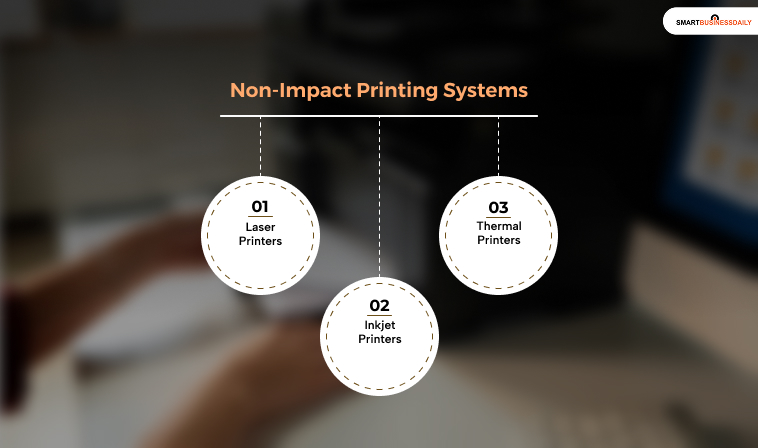
Non-Impact systems dominate modern consumer and commercial networks because they operate quietly, offer high resolutions, and require no physical striking components.
· Laser Printers
These devices employ a precise electrostatic process.
A laser beam draws an electrostatic image of the document onto a photosensitive rotating drum.
The drum then attracts dry, powdered toner particles, which are transferred directly to the paper using heat and pressure rollers (the fuser assembly).
This architecture is optimized for speed and crisp text production.
· Inkjet Printers
These systems operate by projecting precisely controlled, microscopic droplets of liquid ink through hundreds of miniature nozzles onto the paper matrix.
Most consumer models use thermal inkjet elements (heating ink to create an expansive bubble that forces a droplet out).
On the other hand, the professional-grade hardware uses Piezoelectric Crystals.
Therefore, this applies electrical currents to physically change the nozzle shape and snap a droplet forward.
This method delivers superior color accuracy and depth.
· Thermal Printers
These units use no ink or toner whatsoever.
Instead, they pass specially formulated, heat-sensitive paper across a localized thermal print head.
Where heat is precisely applied, the paper coating undergoes a chemical reaction that shifts black or red.
This design is highly reliable because it has no moving internal parts, making it the global standard for receipts and shipping labels.
Specialty Production Printers
These printers are not used for all the conventional purposes you can think of.
As mentioned in the heading, these are appointed for the special requirements:
· Plotters
Traditional printers render files line by line using raster data.
Plotters, by contrast, use vector graphics data.
This comes in handy to draw continuous, unbroken line paths directly onto wide-format rolls.
This approach prevents pixelation, making it indispensable for precise engineering blueprints and large-scale manufacturing schematics.
· 3D Printers
While traditional printers in computer applications operate strictly on two-dimensional X and Y planes, 3D printing systems integrate a Z-axis.
Guided by Computer-Aided Design (CAD) software pipelines, the system melts and deposits sequential layers of thermoplastic materials.
These can be like PLA or ABS, or UV-curable resins.
Then, it constructs solid, three-dimensional geometric objects from the ground up.
Strategic Decision Guide: Choosing The Right Printing Node
| Operational Requirement | Primary Bottleneck Risk | Recommended Hardware Deployment |
| High Daily Volume: Printing thousands of text-heavy documents weekly. | Smudging, slow queue clearing, high consumable component expenditures. | Laser Printer (Monochrome or Enterprise Color Variant) |
| Fine-Art and Photorealistic Media: Generating high-density visual marketing brochures. | Color banding, pixelation, ink saturation drying delays. | Inkjet Printer (Equipped with high-capacity pigment-based ink lines) |
| Harsh Industrial Conditions: Operating inside an active, dusty logistics warehouse. | Mechanical gear jams, clogged fluid nozzles, fine toner dust explosions. | Dot-Matrix Printer or Direct Thermal Label System |
Network Connectivity And Driver Architecture: How Printers Interface With Modern Os
Every type of printer in computer setups relies on a specialized translation layer to convert screen visuals into physical dots.
When a user executes a print command, the operating system translates application data into a specific Page Description Language.
PCL is optimized for fast, office-level document processing, while PostScript serves as the industry standard for high-fidelity graphic design and typesetting.
Modern printer connectivity has shifted from legacy point-to-point hardwires (like DB-25 Parallel or USB 2.0) to advanced, decentralized network endpoints.
Devices now broadcast across local subnets using protocols like Apple AirPrint and Mopria Alliance, leveraging Bonjour (mDNS) for driverless mobile configuration.
In enterprise environments, IT units utilize the IPP (Internet Printing Protocol) over secure HTTPS paths, turning local hardware nodes into cloud-accessible network resources.
Sustainability And Institutional Compliance
Deploying computing infrastructure at scale requires adherence to strict global environmental and energy-efficiency frameworks.
Because laser printers rely on high-temperature fuser rollers to melt toner powder onto paper sheets, their peak electrical draw during startup can exceed 1,000 watts.
Consequently, enterprise hardware must maintain rigorous Energy Star and EPEAT (Electronic Product Environmental Assessment Tool) certifications to guarantee automated low-power sleep modes.
Furthermore, disposal strategies must account for chemical and mechanical e-waste footprint boundaries.
Toner cartridges and micro-chipped inkjet modules contain complex resins and heavy metals that pollute local landfills if discarded improperly.
Corporate IT networks should enforce manufacturer-backed cartridge recycling programs and choose hardware that supports high-capacity, multi-cycle drum assemblies to minimize environmental impact.
Best Practices To Use Types Of Printer In Computer Efficiently
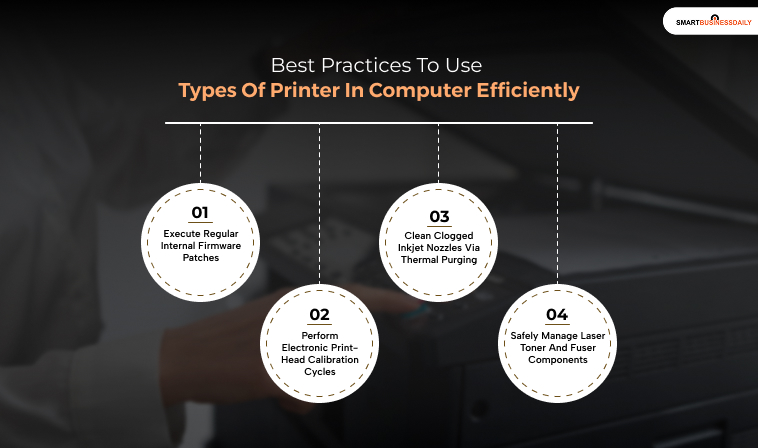
To use your printers effectively and make them last for a good while, these are the practices you need to apply:
1. Execute Regular Internal Firmware Patches
Modern computer printers function as independent network endpoints, containing dedicated microprocessors and internal operating systems.
Regularly updating the device’s firmware via the manufacturer’s official portal patches security vulnerabilities, fixes known driver parsing conflicts, and optimizes toner or ink utilization algorithms.
2. Perform Electronic Print-Head Calibration Cycles
If printed text appears skewed, or vertical lines show spacing gaps, run the utility software’s alignment cycle.
This software protocol calibrates the precision stepper motors that move the carriage assembly across the X-axis, ensuring droplets or laser scans match your digital file coordinates exactly.
3. Clean Clogged Inkjet Nozzles Via Thermal Purging
Inkjet engines suffer from fluid stagnation if left idle for extended periods, causing dried ink to block the microscopic nozzle paths.
Utilize the system’s deep-cleaning cycle to blast a high-pressure stream of fresh ink through the print head, dissolving blockages and restoring uniform liquid droplet delivery.
4. Safely Manage Laser Toner And Fuser Components
When maintaining a laser printer, always allow the fuser assembly to cool down for at least twenty minutes before accessing the internal chassis.
Operating temperatures can exceed 200°C.
Clean the internal paper paths using a specialized toner vacuum or a static-treated lint-free cloth.
Additionally, you must never use standard liquid spray cleaners. This can permanently damage the sensitive electrostatic properties of the photosensitive drum.
Additional Resource: How To Fix A Persistent Printer Offline Status: A Complete Technical Restoration Guide.




Related Articles